
 >
How To >
Music Tips >
>
How To >
Music Tips >
Tubidy is a website that enables users to download MP3 music or MP4 videos. Without any installation or login, users can get MP3 downloads on any device, making it a popular choice. Is Tubidy still working in 2026? This Tubidy MP3 music download guide covers everything you want to know, including how to download MP3 music from Tubidy and top alternatives to Tubidy in 2026.
Tubidy is a web-based online MP3 music download tool that lets users search for and download MP3 music on its platform for free. It allows users to search for music based on moods and genres like chill, commute, energize, blues, etc., and also get the trending music videos on YouTube and VEVO downloaded as MP4 files. For free MP3 downloads, Tubidy offers flexible quality options like 64, 128, 192, 256, and 320 kbps. For free MP4 downloads, they have 144, 240, 360, 480, 720, and 1080p to choose from. With no requirement to install or register and no device limits, people love Tubidy for its easy accessibility, making it a top choice.
Notably, the Tubidy platform frequently changes domains or uses mirror sites due to legal and hosting issues. Tubidy's official website (https://tubidy.com/) is currently invalid. Upon visiting this URL, it will automatically redirect you to another domain (https://mobi.tubidy.com/). Also, you won't find customizable quality options on every Tubidy site. Different mirror URLs can give you different audio quality. Currently, valid sites include:
*Note: Sick of finding the valid Tubidy site to download MP3 music? Want some MP3 songs from other sources? Click to check the top alternatives to Tubidy.
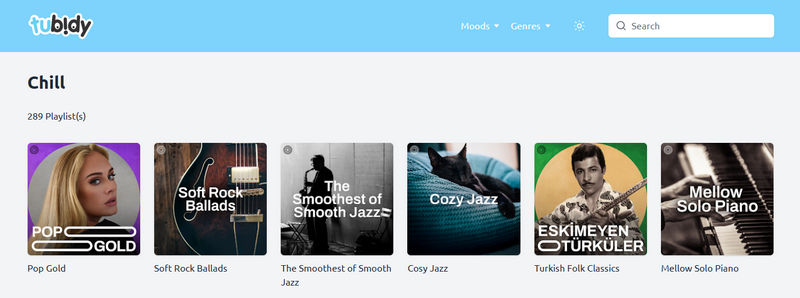
Tubidy does not accept track links. To get MP3 music, users should find the specific track through its built-in search engine and then download it as an MP3 file. Here are the detailed steps to download MP3 music from Tubidy:
*Note: The download process might differ a little based on which Tubidy MP3 music download site domain you're using. In this guide, we'll take https://companymasters.co.za/ as an example.
Step 1 Visit the Tubidy website or mirror site.
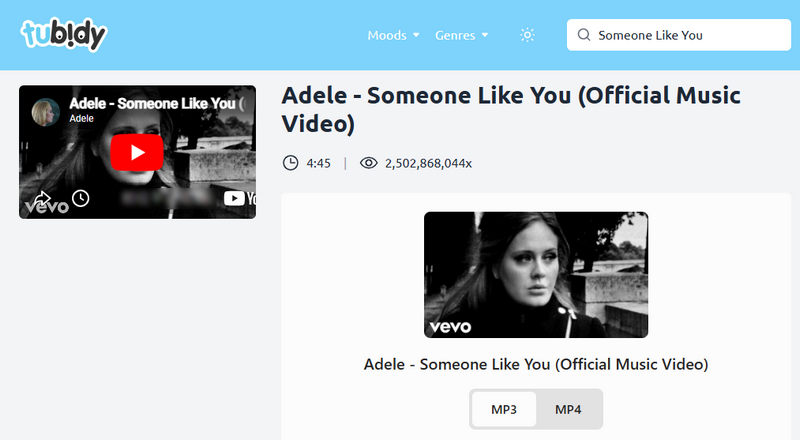
Step 2 Type in the song title or any keyword of the track in the search bar located in the upper right corner.
Step 3 Choose the one you need from the search results and click it. Just wait a moment for the download link to load.
Step 4 Find the "MP3" tab, choose the quality you need, and click it. Wait for a while to allow it to generate the download file.
Step 5 Find the downloaded MP3 files in the "Downloads" folder.
As aforementioned, Tubidy changes its domains frequently. If you are lucky enough to get a working Tubidy site in time, that would be great. If not, you may need some alternatives to download MP3 music. We've found some available solutions, including desktop and online tools.
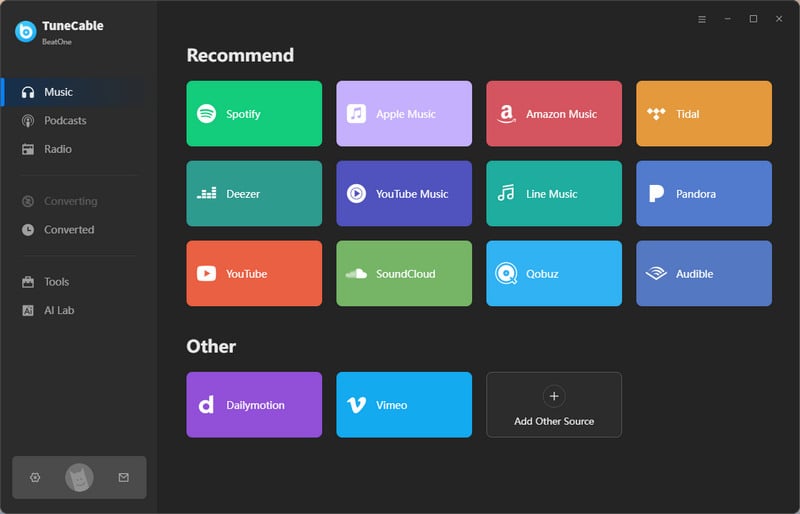
TuneCable BeatOne is an all-in-one music downloader that allows users to download music from multiple music services like Spotify, Apple Music, Tidal, YouTube Music, Amazon Music, and more. With this comprehensive tool, downloading your favorite songs in MP3 would be a breeze. Additionally, it doesn't stop at providing 320 kbps MP3s. It can go even further to offer lossless quality, such as Spotify Lossless FLACs.

TuneCable BeatOne
Here is how to download MP3 music with TuneCable BeatOne:
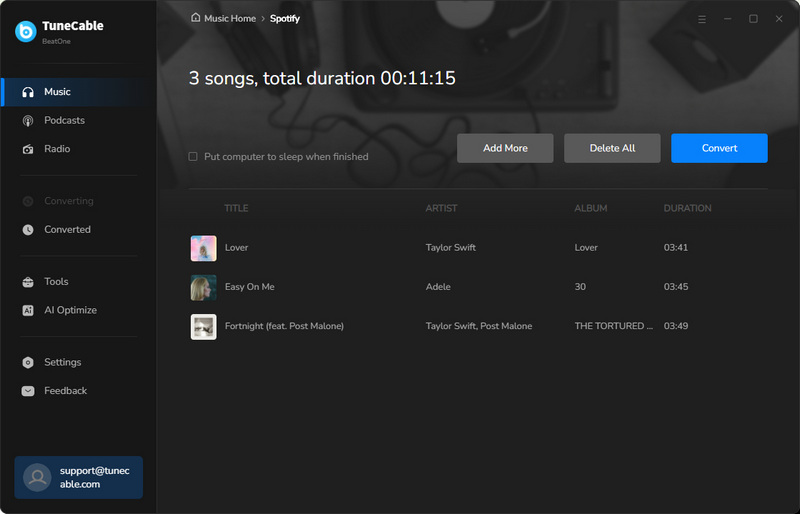
Step 1 Launch TuneCable BeatOne and choose a music platform to download music. Here we take Spotify as an example. You can choose to download music from the Spotify app or the Spotify web player as needed. Then, log in to your music account.
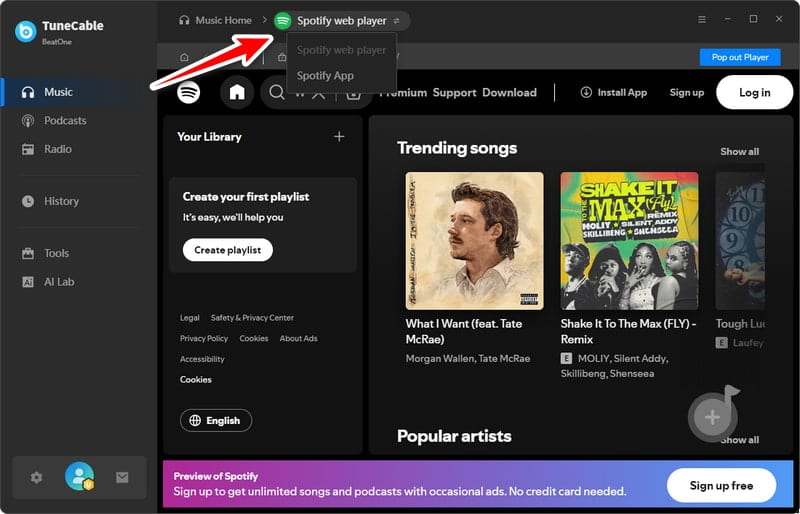
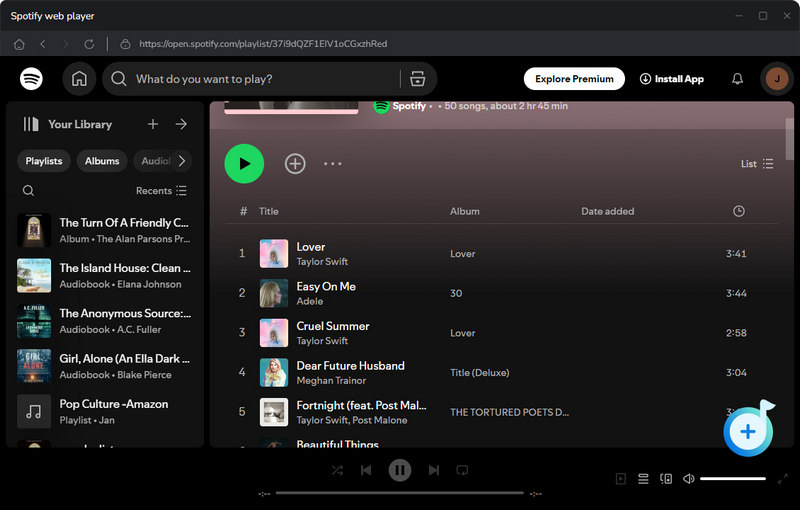
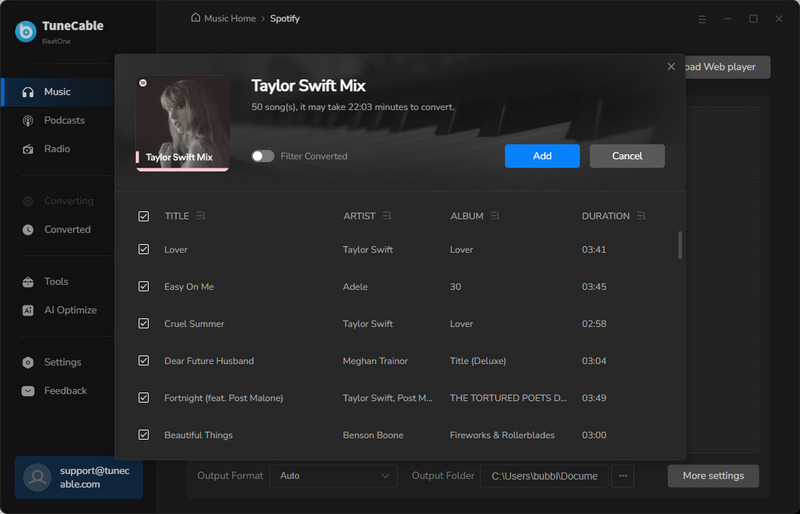
Step 2 Search for the music you want to download as MP3 files and hit the "+" button. Next, tick the target tracks and click "Add". To choose more songs or playlists to download in batches, you may hit "Add More" and repeat adding.
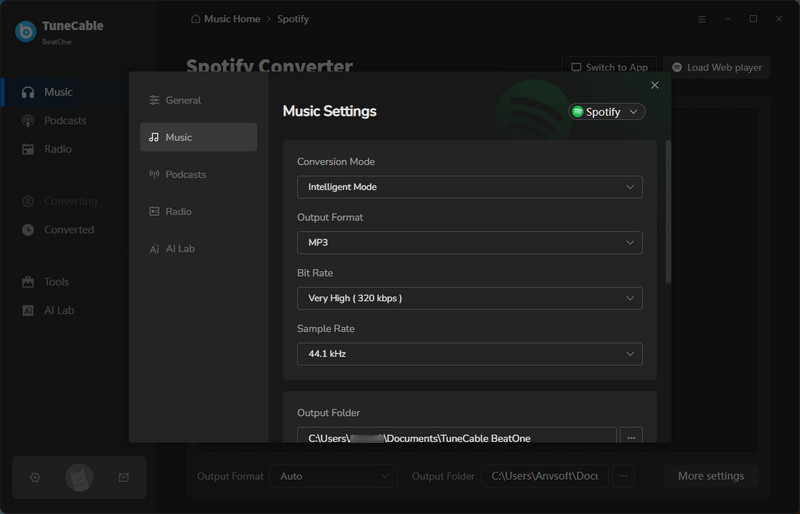
Step 3 Click "Settings" to customize output format, bit rate, sample rate, etc. Simply choose "MP3" here if you want to download MP3 music. TuneCable not only supports downloading 320 kbps MP3s, but also Spotify Lossless FLACs and Apple Music Lossless ALACs.
Step 4 Click "Convert" to immediately download the MP3 music to your local device.
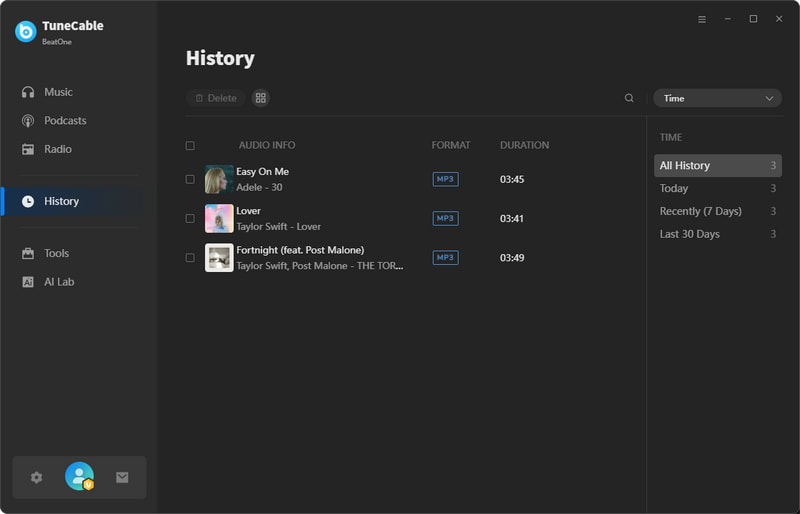
Step 5 You can view all the downloaded MP3 music files by going to the "History" page.
🔗: https://www.lessavonsdevalerie.fr/
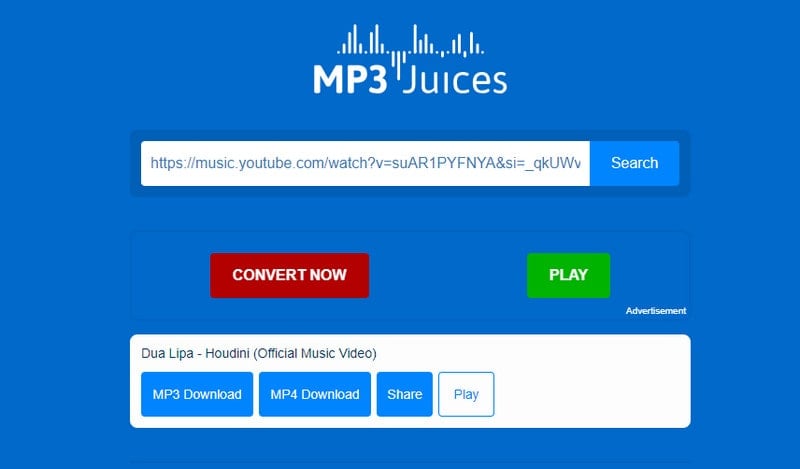
MP3 Juice is a popular online website that allows users to search for and download songs as MP3 files. This alternative to Tubidy offers very similar functionality, supporting downloading songs as MP3 files (64-320 kbps) or videos as MP4 files (144-1080p). Although MP3 Juice is a convenient tool that allows downloads without installing any software, users must put in some effort to find a working site, since its original domain is no longer active. Here is how to download free MP3 music from MP3 Juice:
Step 1 Visit a valid MP3 Juice URL.
Step 2 Enter keywords or a YouTube video link and click to search.
Step 3 Click "MP3 Download". Wait for the page to load, then select the quality and click it to start the download.
🔗: https://musopen.org/
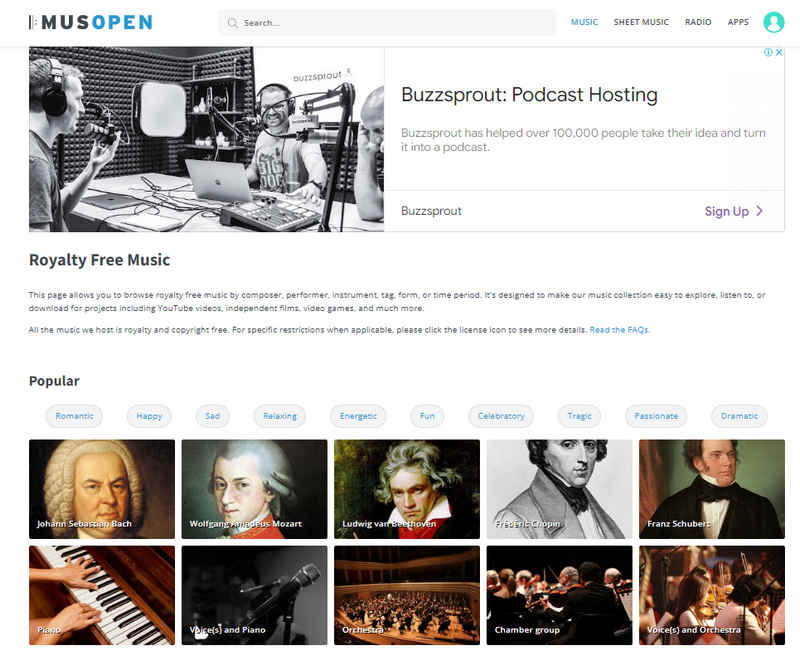
MUSOPEN is an online music website where users can browse royalty-free music recordings and free sheet music. Through the website, users can download piano pieces, orchestral works, and more as MP3 files for offline playback.
Step 1 Go to the MUSOPEN website. Register and log in to an account.
Step 2 Enter keywords to search for the music you want.
Step 3 Click the download button to the left of the track in the search results to complete the download.
🔗: https://audionautix.com/
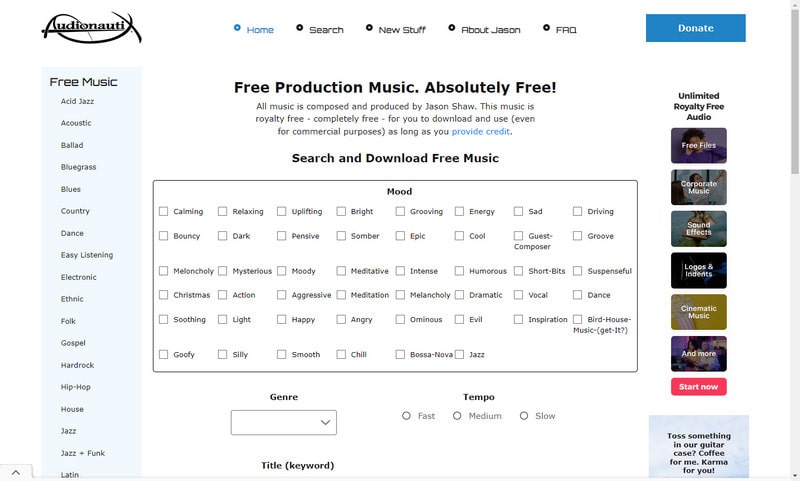
Audionautix.com is another alternative to Tubidy. This music website is totally free to access. Users can filter music by mood, genre, etc. It's a convenient online website for searching and downloading MP3 music.
Step 1 Go to https://audionautix.com/ and search for your favorite music.
Step 2 Click "Download Mp3" in the search results to download free MP3 music.
YES. Tubidy itself is a free MP3 music download site.
It depends. Tubidy's original website is no longer operational. Currently, the quality of MP3 music provided by different mirror sites varies. Some sites offer 320 kpbs MP3s.
This could be due to Tubidy server overload, excessive pop-ups during the download process, or redirection interference.
YES. To get high-quality MP3 downloads safely, it is better to find a more professional and stable alternative to Tubidy with no ads or pop-ups, like TuneCable BeatOne.
This article introduced Tubidy's features and its pros and cons, as well as a detailed Tubidy MP3 music download guide. Indeed, this free platform lets users download music conveniently from any device. But unfortunately, it's unstable and changes its domain name often. Also, being a free tool, it relies on ad revenue to stay running. Inevitably, the intrusive ads hinder a smooth download experience. More users are seeking a more stable alternative to Tubidy for a safer MP3 music download experience. Here, we've listed 4 alternatives to Tubidy. TuneCable BeatOne allows downloading music from various music platforms like Spotify, YouTube Music, Apple Music, etc., offering up to 320 kbps MP3 downloads and even higher quality audio. Overall, it stands out among these choices, and it's worth a try. If interested, just click the button below to try it for free.
 What's next? Download TuneCable BeatOne now!

Ava Morrison | Senior Writer
TuneCable BeatOne - All-in-one Music Solution

