
 >
How To >
Music Tips >
>
How To >
Music Tips >
Bandcamp, often referred to as the "online record store for independent music," is a haven for music lovers. It's an excellent online platform where you can discover and support independent artists, purchase high-quality music files, and connect with musicians directly. Do you want to download music from Bandcamp as MP3 files? This article will elaborate on the official method and review several hot Bandcamp to MP3 downloaders, providing a clear comparison of them and helping you choose the best one for your needs.

TuneCable BeatOne is a comprehensive music downloader and converter that enables users to keep their favorite music collections from multiple platforms like Bandcamp, Spotify, Apple Music, Tidal, SoundCloud, etc. The built-in Bandcamp recorder is perfect for those who want to convert music from Bandcamp to MP3 format. It can automatically identify the songs in an album and save each track as a separate audio file. Additionally, the output audio files can be saved in FLAC, AAC, AIFF, ALAC, or WAV format, providing users with a wide and flexible range of options.

TuneCable BeatOne
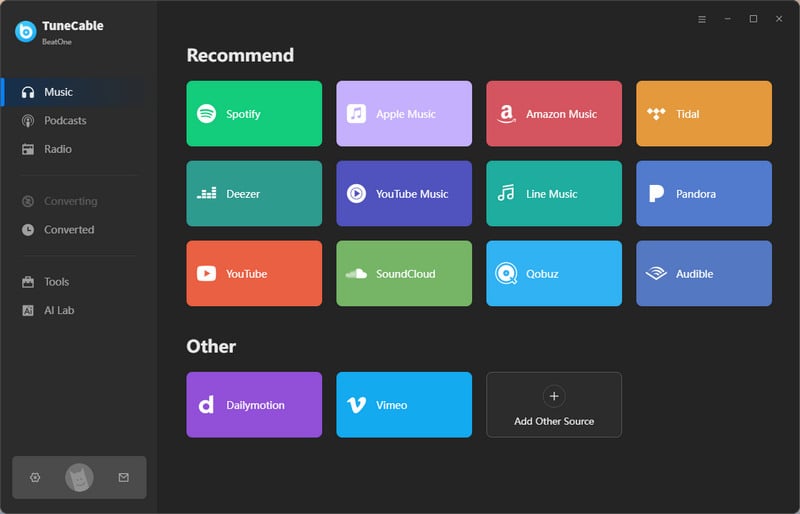
Step 1 To begin, install and open TuneCable BeatOne. Simply click "Bandcamp" on its main screen. This opens a dual-view interface — one window for recording controls and one as a built-in Bandcamp web player. Next, log in to your Bandcamp account within the web player to access your personal library.
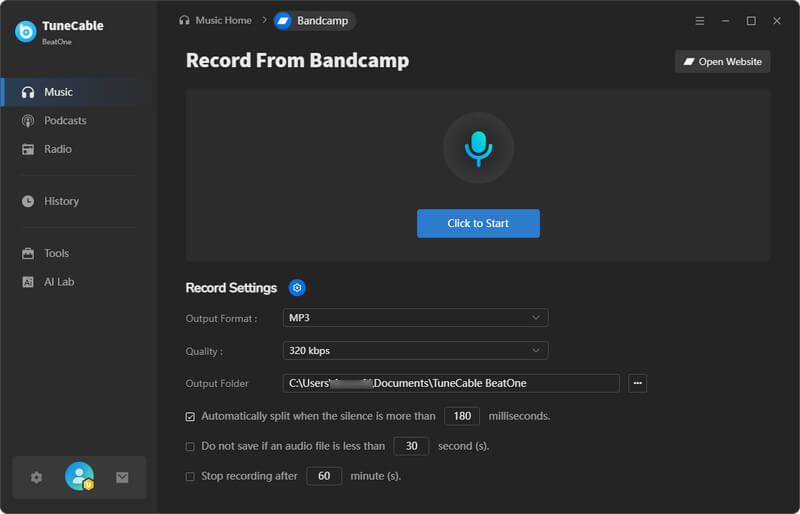
Step 2 Before starting recording, head to the recording control panel, where you can change the output settings, including output format, quality, and output folder path.
Note: You can click the gear button in the lower left corner to enter the Music Settings interface and modify the output format and audio quality.
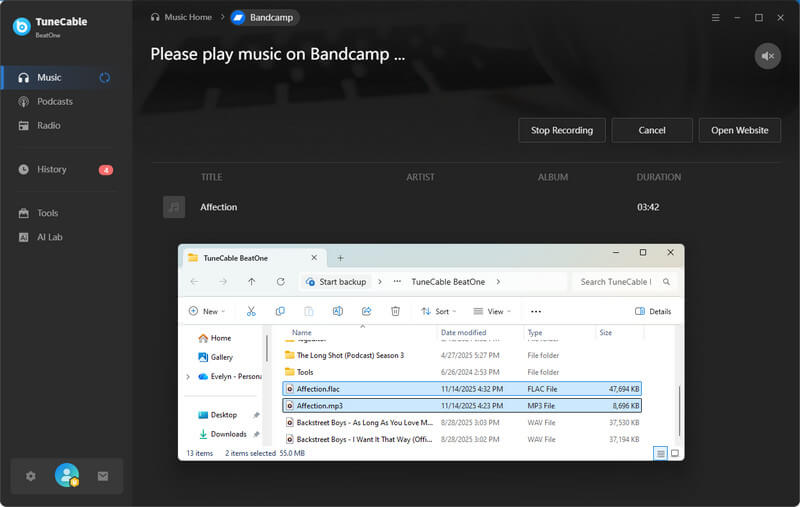
Step 3 Once the output settings are selected, simply hit the "Click to Start" button to get TuneCable ready for capturing Bandcamp tracks. Next, navigate to the Bandcamp web player window and play your desired music. TuneCable BeatOne will automatically detect the track and begin recording at real-time speed. For uninterrupted multitasking, simply hit the Mute button on the right panel. This lets you enjoy silent downloads while focusing on other work.

Step 4 If you want to record more, remember to play more songs in the Bandcamp built-in web player. When you've recorded enough, just click "Stop Recording" to stop. Each recorded track will be saved as an individual file named by its song title. For instant access to a file's location, just hover over the song and click the folder icon.
Rating: ⭐⭐⭐⭐⭐
Pros and Cons:
| Pros | Cons |
|---|---|
| Offer flexible output formats like MP3, AAC, WAV, FLAC, ALAC, and AIFF. | A computer (Windows or Mac) is required to download the music. |
| Keep Metadata, including ID3 tags, album art, and more. | You need to click different buttons in two windows to download music. This process is a bit complicated. |
| Process and download multiple tracks or playlists efficiently. | |
| Provide an ad-free and clear interface. 100% green desktop software. | |
| Integrated Utilities: Tag Editor, Format Converter, AI Audio Splitter, Audio Editor, CD Burner, etc. |
Compared to free online Bandcamp to MP3 downloaders, TuneCable BeatOne is a safer and more reliable desktop application, with no ads and no redirects. However, since it's a desktop application for Windows or Mac devices, it is not that friendly for mobile users who want to download music on the go. They may turn to some free online tools Bandcamp to MP3 converters, for temporary downloads. Below, we have selected several popular online Bandcamp to MP3 downloaders for review.
Warning: While online Bandcamp to MP3 downloaders are more accessible, they carry significant potential risks. Many sites contain intrusive ads and unknown links, which may lead to viruses or compromise your personal data. For your security, we strongly advise against their use, and recommend a safe alternative, TuneCable BeatOne.
🔗: https://ssbandcampdownloader.com/
Rating: ⭐⭐⭐⭐
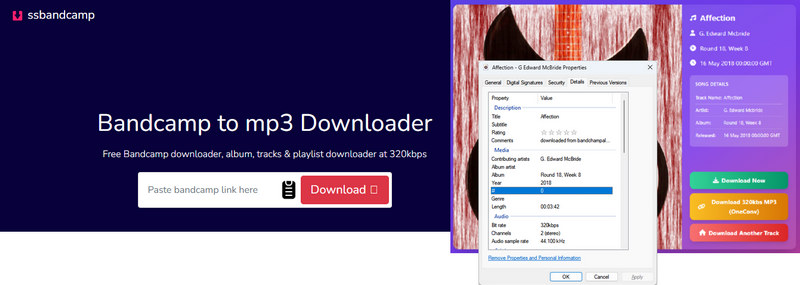
Ssbandcampdownloader.com is a browser-based, free online Bandcamp to MP3 downloader. Simply paste a song link, and the website will retrieve the song and download it as a 320 kbps MP3 file to your local storage. Although this online Bandcamp to MP3 converter supports downloading entire albums in bulk, free users can only download the first two songs as a ZIP file. To download the complete album, you need to sign up for an account, log in, and pay for it.
Step 1 Find your favorite album or track on the Bandcamp website, then copy its URL from the top of your browser.
Step 2 Go to ssbandcampdownloader.com and paste the URL into the search bar. Click the "Download" button.
Step 3 After parsing the URL, hit the download button again and select the output format: MP3, WAV, FLAC, or OGG.
Step 4 The downloaded songs will be saved in the browser's download output folder.
Pros and Cons:
| Pros | Cons |
|---|---|
| It's free to use. | You can download Bandcamp tracks in bulk as MP3 files, but you need to pay to download complete albums. |
| There are several output formats to choose from, including MP3, WAV, FLAC, and OGG. | Only one album can be downloaded at a time. (This feature is only available to paid users. Free users can only download the first two tracks of an album as a ZIP file.) |
| Some basic ID3 tags can be retained. | Custom output filenames are not supported. Files will be named according to a fixed format: "Song Title - Artist Name". |
| When parsing the link, you will be redirected to another site, which may be insecure. |
🔗: https://bandcampdownloader.app/
Rating: ⭐⭐⭐
Bandcampdownloader.app is a convenient tool for downloading tracks from Bandcamp to MP3 files online. Although it supports processing all tracks within one album link, it does not support one-click downloading of all Bandcamp tracks as MP3 audio files. Downloading a large number of tracks would therefore be very time-consuming. While easy to use, it's best suited for basic, occasional downloads rather than serious music archiving or high-quality needs. While easy to use, it's best suited for basic, occasional downloads rather than serious music archiving or high-quality needs.
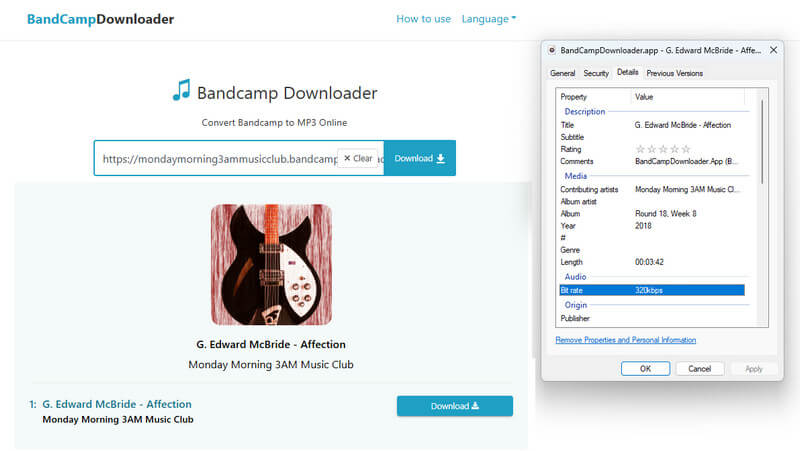
Step 1Copy and paste the Bandcamp song URL into the bandcampdownloader.app website and click the "Download" button.
Step 2In the "Select Format" section, choose the output format and quality (MP3 128kbps or MP3 320kbps). It will start generating download links for an MP3 file for your Bandcamp song.
Step 3 Click the "Download MP3" button to start the download.
Step 4 The downloaded MP3 files can be found in your default downloads folder.
Pros and Cons:
| Pros | Cons |
|---|---|
| It is free to use. | The filenames are named in a fixed format: "BandCampDownloader.app - Artist Name - Song Title". It is not possible to customize the output file names. |
| It has no device limitations. | It supports retaining some basic ID3 tags such as year and album name. |
| It does not support one-click batch downloading of all songs in the album. If you need to download all the songs in an album, you need to hit the download button for each song individually to start the download process. | |
| The site contains many ads, which can be annoying or risky. |
🔗: https://bandcamptomp3.com/
Rating: ⭐⭐⭐
Bandcamptomp3.com is a straightforward and completely free online tool that lets you convert Bandcamp tracks or albums into downloadable MP3 files directly in your browser. It requires no software installation—simply parse the link to any Bandcamp album or track to get the corresponding MP3 files. The output audio reaches up to 128kbps in bitrate.
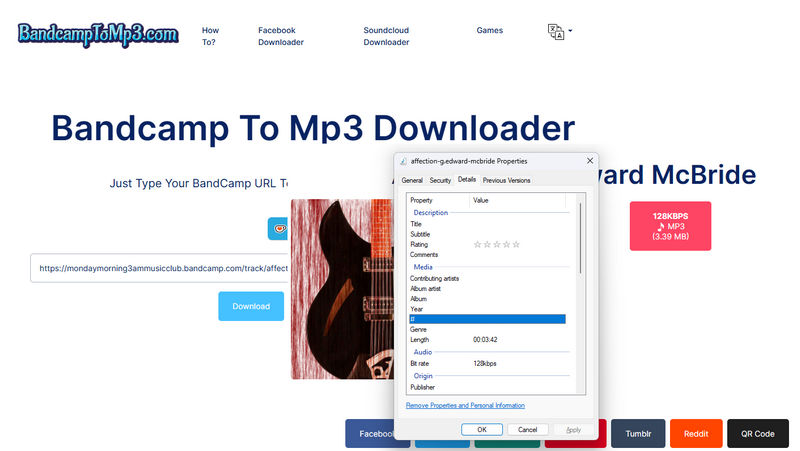
Step 1 Copy and paste a Bandcamp track or album link into the input field, then click the "Download" button.
Step 2 Click the red "128KBPS MP3" button to trigger the download process.
Step 3 Find the output MP3 file in your browser's download folder.
Pros and Cons:
| Pros | Cons |
|---|---|
| It is simple to use and compatible with a variety of devices. | There is only one output format: MP3. |
| It delivers MP3s with bitrates up to 128kbps. | |
| It supports batch parsing of all songs within an album, but if you need to download all the songs, you need to hit the download button for each song individually. | |
| The output file does not retain any ID3 tags. |
🔗: https://www.locoloader.com/bandcamp-downloader/
Rating: ⭐⭐
Locoloader is a browser-based tool that downloads Bandcamp albums, surpassing single-track competitors. This feature, however, requires installing its extension. Based on our tests, it output only 128kbps MP3s with random numeric filenames and no metadata, complicating file organization. If needed, you can rename the output files one by one. The overall experience remains unpolished and inconvenient.
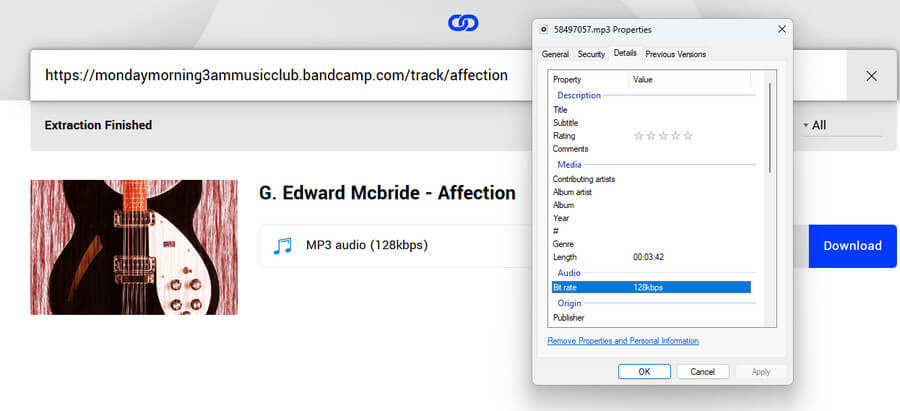
Step 1 Paste the Bandcamp album or song link into the "Paste a Bandcamp link here" area, and the page will automatically load all the tracks included in the link.
Step 2 To download the entire playlist, select "Download All" below the search bar, which requires an additional extension. For a single MP3, right-click the "Download" button next to the song, select "Save Link As…". Name your Bandcamp MP3 file, choose a save location, and click "Save".
Pros and Cons:
| Pros | Cons |
|---|---|
| You can preview the tracks before downloading them. | The audio is encoded at only 128 kbps, resulting in basic audio fidelity. |
| It supports full album downloading (requires extension) | If you need to download multiple tracks, you have to right-click, select "Save link as…", and name each output file one by one. It's very troublesome. |
| Free users can download up to two files every six hours. |
🔗: https://okmusi.com/bandcamp-to-mp3/
Rating: ⭐⭐
Okmusi Bandcamp to MP3 Converter offers two options: a convenient browser-based online tool and a dedicated desktop version. Currently, the Okmusi Bandcamp to MP3 Converter online tool can convert Bandcamp music to 128kbps MP3 files or 129kbps M4A files. Overall, the online website has a clean interface and is easy to use.
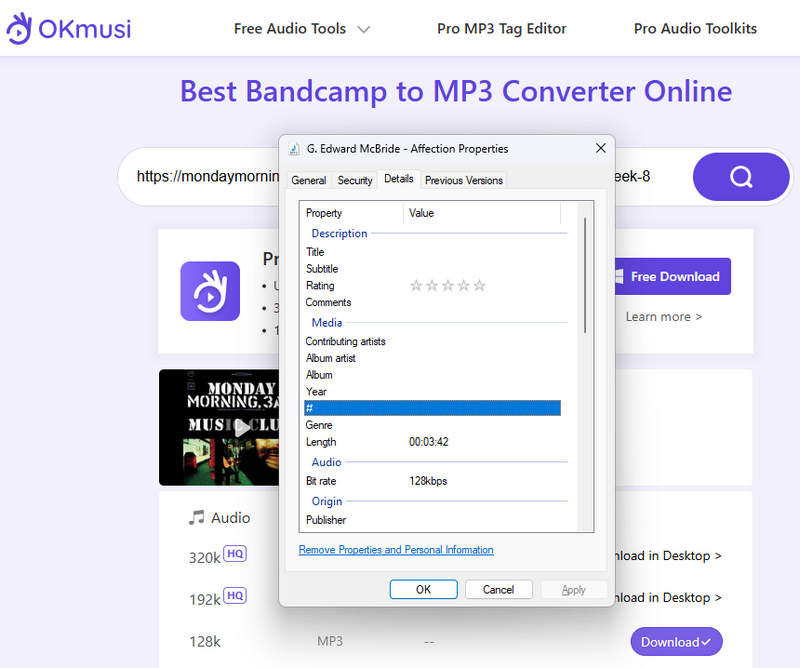
Step 1 Copy and paste the URL of the Bandcamp song or album into the search bar in the middle and click the magnifying glass icon.
Step 2 Select the desired format (MP3 or M4A), then click the "Download" button on the right to start the download.
Step 3 Check your default downloads folder for the downloaded Bandcamp MP3 files.
Pros and Cons:
| Pros | Cons |
|---|---|
| There are two output formats available: MP3 and M4A. | The output file does not retain any ID3 tags. |
| It's free to use. | The Bandcamp MP3 downloads are only available at a 128kbps bitrate. |
| The conversion process allows for parsing a complete album in a single operation. The subsequent download of MP3 files must be executed individually per track. |
🔗: https://anydownloader.com/en/bandcamp-music-downloader/
Rating: ⭐
Anydownloader provides a free, in-browser tool to instantly download Bandcamp tracks as MP3s. According to our testing, we found that it supports one-click parsing of all tracks within an album link, generating corresponding download links for multiple tracks. No software installation is required. Simply click the "Download" button to download tracks from Bandcamp to MP3 format. However, it has a fatal flaw: it doesn't display the song titles, making it impossible to know which song is being downloaded.
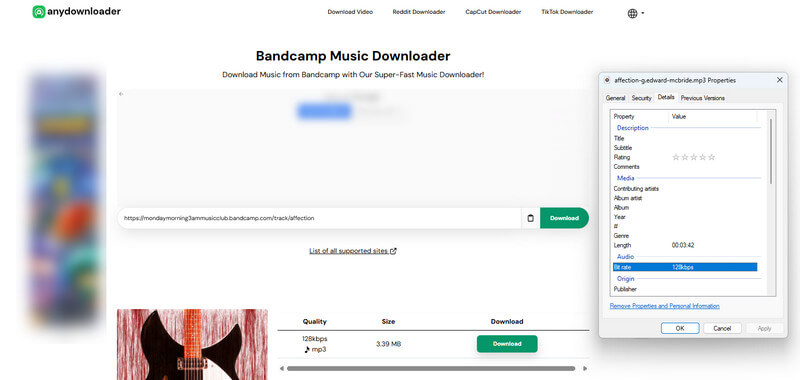
Step 1 Copy the Bandcamp track link to anydownloader.com and click the "Download" button.
Step 2 Select the tracks you want to download, and then click the "Download" button next to them again.
Step 3 Check your downloads folder for the Bandcamp MP3s.
Pros and Cons:
| Pros | Cons |
|---|---|
| There are no device limitations. You can download Bandcamp tracks as MP3s using any web browser. | The maximum bitrate is only 128kbps. |
| The page contains advertisements, which are quite annoying and pose a security risk. | |
| There is no song title displayed next to the download button, making it impossible to identify which song is being downloaded. | |
| The download process is very slow, and it will be redirected to multiple pages, which is risky. | |
| All the output files for the songs in the album have the same name, making it impossible to distinguish between the songs. |
🔗: https://steptodown.com/bandcamp-music-downloader/
Rating: ⭐
STEPTODOWN's online Bandcamp to MP3 downloader makes it easy to download entire Bandcamp albums as MP3 files. However, our testing confirmed that it successfully parses all tracks from an album link and generates download links for each one, all without requiring the installation of any additional software. Despite this efficiency, a major drawback is that the download buttons don't show song titles, making it impossible to tell which track you're downloading. This is very inconvenient for users who want to download multiple songs from an album.
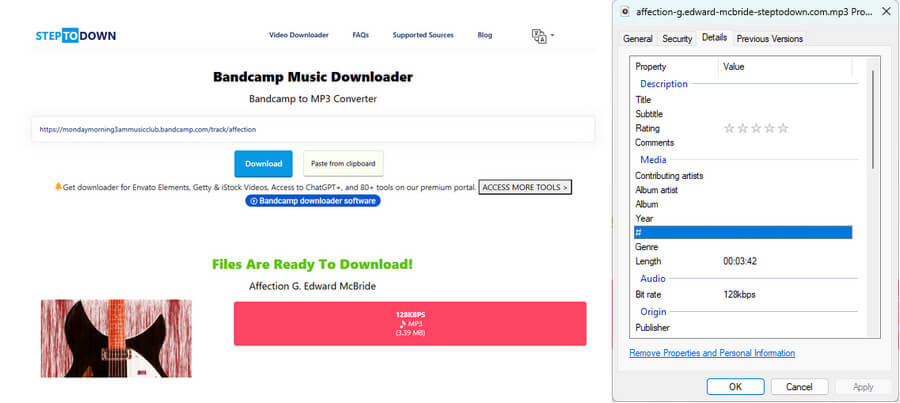
Step 1 Copy and paste the Bandcamp album or song link into the steptodown.com website. Hit "Download".
Step 2 Click the "128KBPS MP3" button to start downloading the Bandcamp track to MP3 format.
Step 3 The MP3 files are located in your Downloads directory.
Pros and Cons:
| Pros | Cons |
|---|---|
| It's very easy to use. | The maximum output audio quality is only 128kbps. |
| It's free. | The output files are named in the format "Song Title - Artist Name - steptodown.com," and the output filename cannot be customized, which makes file management inconvenient. |
| No ID3 tag information will be saved. | |
| There is no one-click bulk download option. Also, since no song titles are displayed with the download links, identifying each track is difficult. |
As we mentioned at the beginning of this article, the Bandcamp website allows users to purchase digital singles or albums from independent musicians. After completing the purchase, buyers can download the music they bought from Bandcamp as MP3 or FLAC files. Depending on the original file format and audio quality uploaded by the artist, buyers can obtain music in different qualities, typically 24-bit/44.1kHz or 16-bit/44.1kHz. Here are several methods to download purchased music from Bandcamp to MP3:
Method 1: Once checkout is complete, you'll have access to your download on the checkout page. Find the link and choose your format(MP3) from the dropdown menu.
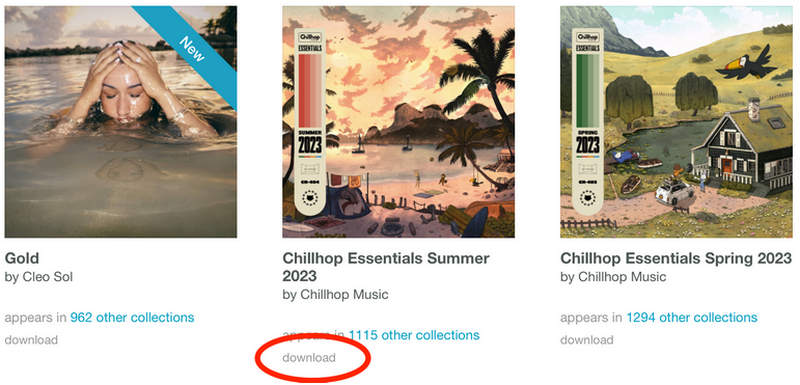
Method 2: Log in to your account on the Bandcamp website and go to your Collection page. Click the "download" button below the album cover to download the music. Remember to select the MP3 format.
Method 3: Log in to your Bandcamp account and navigate to your "Purchases" page. Locate the album and click the download button next to its cover. In the download menu, be sure to select MP3 as the output format.
| Output Format | Batch Download | Audio Quality | Ad-free | Audio Source | |
|---|---|---|---|---|---|
| TuneCable BeatOne | MP3, AAC, WAV, FLAC, ALAC, AIFF | ✅ | Up to lossless | ✅ | Bandcamp, Spotify, Apple Music, TIDAL, Deezer, YouTube, SoundCloud, etc |
| Ssbandcamp | MP3, WAV, FLAC, OGG | ❌ | 128/320kbps | ✅ | Bandcamp |
| Bandcampdownloader | MP3 | ❌ | 128/320kbps | ❌ | Bandcamp |
| Bandcamptomp3 | MP3 | ❌ | 128kbps | ✅ | Bandcamp |
| Locoloader | MP3 | ✅ | 128kbps | ✅ | Bandcamp |
| Okmusi | MP3/M4A | ❌ | 128kbps | ✅ | Bandcamp |
| Anydownloader | MP3 | ❌ | 128kbps | ❌ | Bandcamp |
| STEPTODOWN | MP3 | ❌ | 128kbps | ❌ | Bandcamp |
Purchases on Bandcamp include legal MP3 downloads. The files come without DRM, meaning you truly own them for personal use. Please see the steps outlined in part three for details on how to download your purchased Bandcamp music.
Bandcamp-to-MP3 converter websites are generally not recommended. These sites often pose significant security threats and can lead to malware infections or privacy breaches. We highly recommend TuneCable BeatOne, a safer, virus-free desktop Bandcamp to MP3 downloader, which is quite reliable.
To download music from Bandcamp in formats other than the official MP3 or FLAC options, we recommend TuneCable BeatOne. It allows you to convert and download in MP3, AAC, WAV, FLAC, ALAC, or AIFF.
This article reviews 8 Bandcamp to MP3 downloaders, including free online tools and desktop options. We compared free tools with professional software in terms of audio quality, security, and batch downloading capabilities. Additionally, we also offer the option to obtain official MP3 files by purchasing singles or albums through Bandcamp. Overall, to freely access your favorite Bandcamp music in MP3 format without purchasing each track, we recommend using the more secure and virus-free desktop application, TuneCable BeatOne, as the ideal solution. Simply click the download button below to try it risk-free.
 What's next? Download TuneCable BeatOne now!

Ava Morrison | Senior Writer
TuneCable BeatOne - All-in-one Music Solution

