
 >
How To >
Music Tips >
>
How To >
Music Tips >
YouTube, as the world's largest video platform, brings together content creators from all over the world, and it is deeply integrated into people's daily lives. It covers a wide variety of video content, including music videos, interviews, podcasts, technical tutorials, educational lectures, and more. In recent years, more and more viewers are no longer simply "watching" videos but tend to "listen" to the YouTube audio, focusing more on the information conveyed by the sound rather than the visuals themselves. If you only want to listen to YouTube audio, then you may need a YouTube Audio Ripper. This article provides a comprehensive overview of YouTube Audio Rippers, exploring why users seek to extract audio from YouTube and how these tools work. It also reviews a selection of current mainstream solutions, including both online and desktop applications.
 Part 1. Why Use a YouTube Audio Ripper? Part 2. Best YouTube Audio Ripper FAQs about YouTube Audio Ripper
The core function of YouTube Audio Ripper is to extract audio from YouTube videos and convert it to common audio formats such as MP3, AAC, WAV, FLAC, etc. In other words, people use YouTube Audio Ripper to obtain YouTube audio for listening in different scenarios.
To be more specific, as for why users may wish to extract YouTube audio, several key reasons emerge:

Whatever your reason for looking for a YouTube Audio Ripper, a safe and reliable tool will spare you a lot of trouble. TuneCable BeatOne lets you batch download YouTube playlists and convert them to audio files in MP3, AAC, ALAC, FLAC, WAV, or AIFF format. Safe, convenient, and worry-free. Try it with a single click of the button on the right!
Can't wait to rip YouTube audio? Don't worry, we'll introduce some web-based free online YouTube Audio Rippers and a desktop YouTube Audio Ripper for Windows or Mac. You may choose the one that suits you best based on your own requirements.
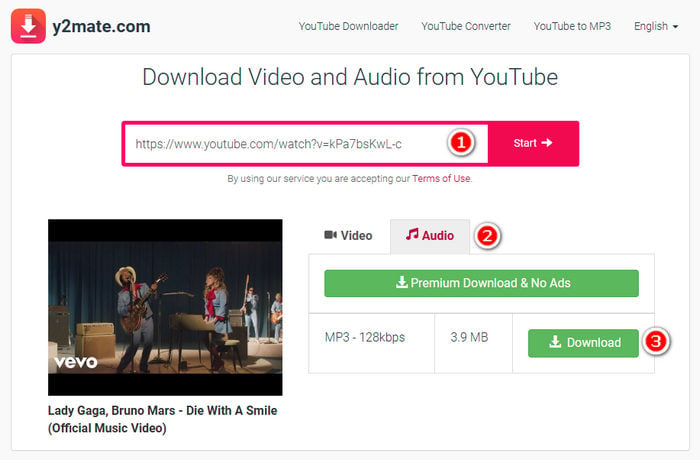
Y2Mate is one of the most popular and easy-to-use online YouTube audio ripper options. Simply copy and paste the link to the YouTube video into the search bar, and users can quickly extract the audio. It's tech-friendly and requires no special technical skills.
Pros
 Free and easy to use. No software download required. Offers 320kbps MP3 and 128kbps MP3 options.Support extracting audio from YouTube video links and YouTube Music track links.
Cons
 Domain names change frequently. Users should be aware of fake domains. Impersonators appear frequently, making the official one hard to spot. Includes many redirect pages. Concerns have been raised on Reddit regarding the security of Y2Mate.The site contains many ads.Supports extracting only one audio file at a time. Does not support parsing playlist URLs.After clicking the download button, there is a 10-15 second delay before the download starts.
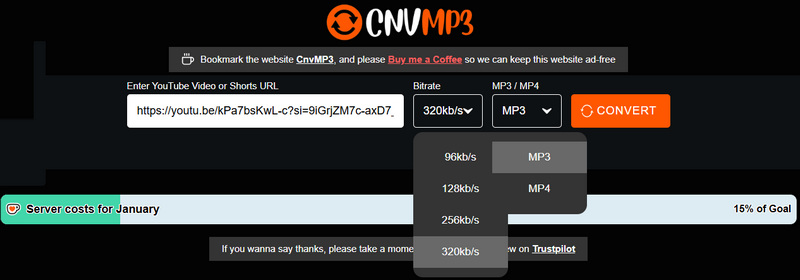
CnvMP3s is another online YouTube audio ripper that claims to support downloading YouTube audio as MP3 files with 32kbps quality. It's actually a comprehensive online audio extraction tool, which supports ripping audio from YouTube videos, short videos, TikTok videos, and Reddit videos, among others.
Pros
Clean website UI and no redirect pages. Free to use. Quick and easy to operate.Cons
It claims to output 320kbps quality, but the actual quality is only 246kbps.Do not support downloading in batches and parsing playlist URL.Only one audio output format is supported - MP3.⚠️Notice*: Many free online YouTube Audio Rippers compromise on audio fidelity, exporting tracks that sound brittle and flat. Also, format options are often limited. For more flexible output format options or better sound quality, it's recommended to choose a professional desktop YouTube Audio Ripper to complete the task. You can try TuneCable BeatOne, which supports downloading YouTube audio in MP3, AAC, ALAC, FLAC, WAV, or AIFF formats. It can not only batch download audio from YouTube videos, but also batch download singles, albums, playlists, etc. from YouTube Music.
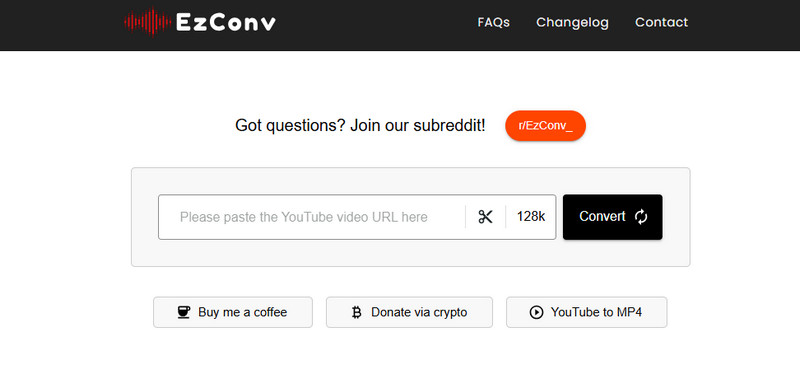
EzConv is a simple-to-use online YouTube to MP3 converter. It supports downloading YouTube audio as MP3 files and YouTube videos as MP4 video files. Similar to the aforementioned online tools, it rips YouTube audio by parsing the YouTube video URL. The site can be accessed via any browser on any device.
Pros
Free and requires no software installation.Clean UI with no ads.Selectable bitrate: 64-320kbps.Cons
Does not support batch ripping audio from YouTube videos. Parsing playlist URLs is not supported. Only one output format is available: MP3.The key differences between online and desktop YouTube Audio Rippers lie primarily in installation, output audio quality and format, stability, and security. Compared to online tools, desktop YouTube Audio Rippers offer greater stability, security, and typically more powerful features. You may refer to the table below for a quick overview of the differences between them. If you are a powerful user of YouTube Audio Ripper, we recommend using a professional desktop tool. Next, we will introduce the best professional desktop YouTube Audio Ripper in detail to you.
| Online YouTube Audio Ripper | Desktop YouTube Audio Ripper | |
| Installation | ❌ | ✅ |
| Output Format | MP3 | MP3, AAC, ALAC, FLAC, etc. |
| Audio Quality | Medium | High |
| Conversion Speed | Medium | Fast (up to 10x) |
| Supported OS | Any browser on any device | Windows & MacOS |
| Batch Download Playlist | ❌ | ✅ |
| Stability | 👎 Low–Medium | 👍 High (Update regularly) |
| Security | 👎 Risky (unknown redirects) | 👍 Safer (trusted apps) |
| Best For | Casual users | Power users |
TuneCable BeatOne is a professional desktop YouTube Audio Ripper. It's a comprehensive music converter that lets you batch download and convert music from various platforms like YouTube, YouTube Music, Spotify, Apple Music, and Tidal. Supported output formats include MP3, AAC, ALAC, FLAC, WAV, and AIFF. Besides ripping YouTube audio, it also supports downloading MP4 YouTube Music videos. It also comes with a wealth of useful built-in audio file processing tools, such as an Audio Editor, Format Converter, and AI Audio Splitter, allowing you to complete the audio processing in one stop.

TuneCable BeatOne
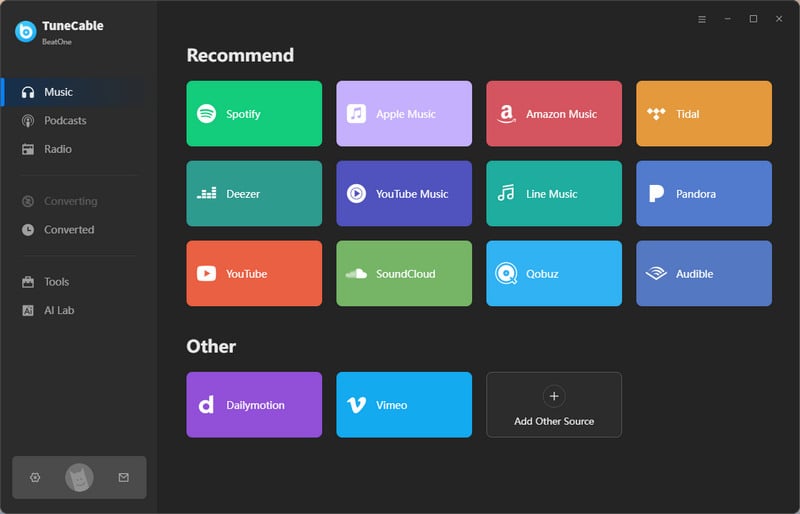
Step 1 Launch TuneCable BeatOne and select "YouTube" from the initial page. Log in to your YouTube account. TuneCable works with both free and premium accounts.
Note: YouTube Music mainly offers audio from officially released singles, playlists, and albums. When you select "YouTube Music", TuneCable will download these tracks from the streaming music service, typically with better sound quality and more complete metadata. To extract audio from standard YouTube videos—including podcasts, music videos, and lectures—simply select the "YouTube" option.
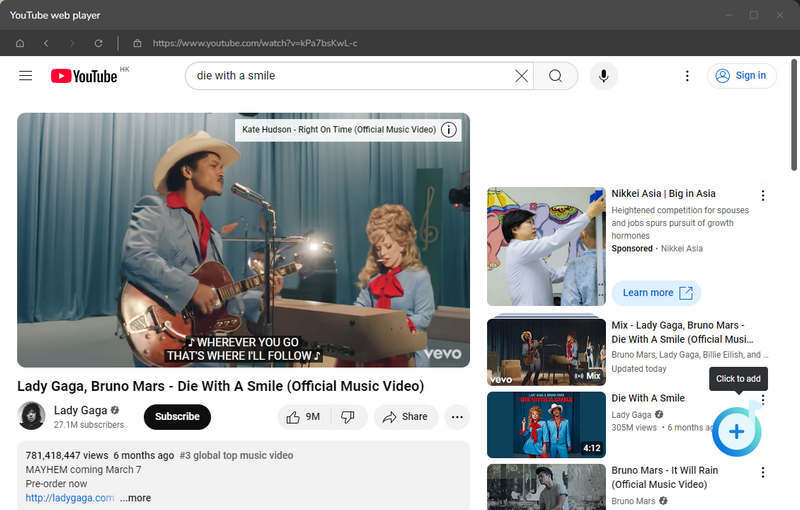
Step 2 Browse to a designated video or playlist you want to rip the audio from within the embedded YouTube web player. Once located, click the "Click to add" button. In the pop-up window, select the YouTube content you want to download and click "Add". To download more content, click "Add More" and repeat the above steps.
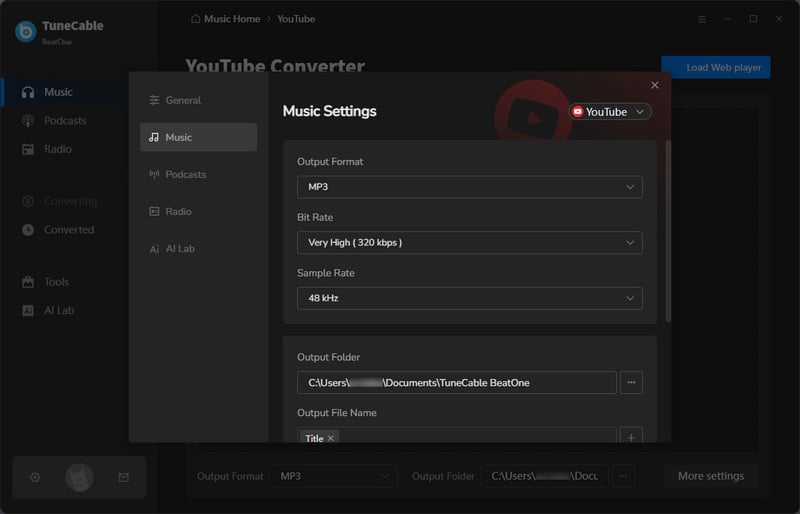
Step 3 Hit the "Settings" button to modify the output settings. You can freely customize the output format, bitrate, sample rate, output path, etc.
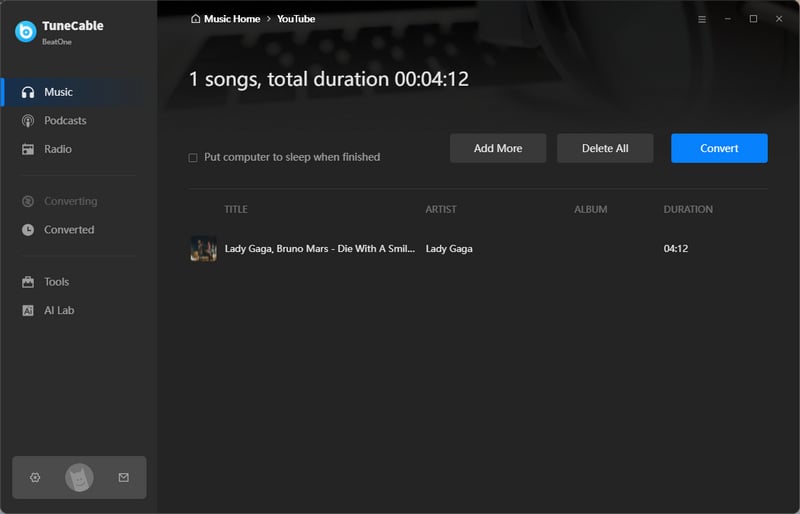
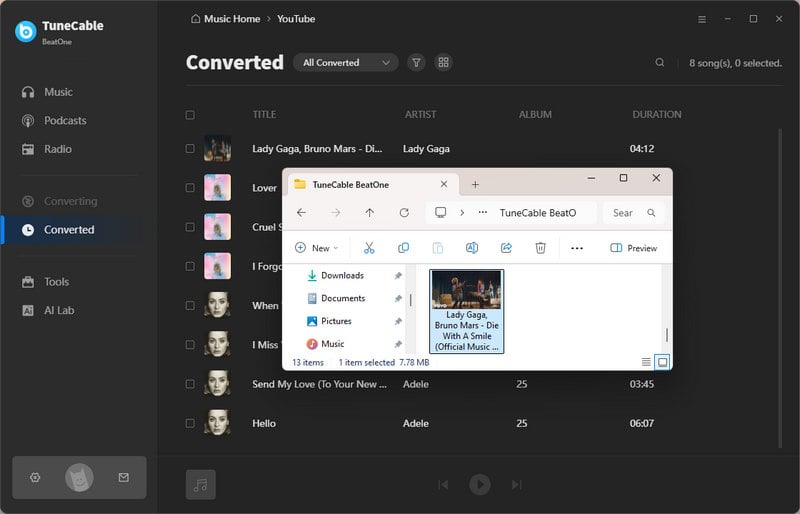
Step 4 Once everything is set up, simply click the "Convert" button to start the download. All downloaded YouTube audio will be saved locally soon. And the download history can be viewed in the "History" section.
Pros
Supports multiple output formats, including MP3, FLAC, AAC, ALAC, WAV, and AIFF.Supports saving ID3 tags.Supports batch downloading of multiple YouTube playlists at once.Safe and ad-free.Fast download speed: up to 10x.Supports custom output filenames by Track Number, Title, Artist, Album, Playlist Index, Year, and Disc Number.Supports downloading YouTube Music videos.Output high audio quality, saving audio in lossless formats.Cons
Requires installation and only works on Windows or Mac.Yes, but you may need a desktop YouTube audio ripper (such as TuneCable BeatOne) as online tools usually do not support ripping an entire YouTube playlist at once.
Ripping audio from YouTube is legal only when you own the content, have the copyright holder's permission, or the video is public domain or CC(Creative Commons)-licensed. Otherwise, it's generally not legal.
This article introduces 4 YouTube Audio Rippers with their detailed how-to-use guides, and the advantages and disadvantages for each (both online and desktop). In short, for casual users, we recommend online YouTube audio rippers, which are compatible with most devices. For power users, we recommend TuneCable BeatOne, a more professional and comprehensive YouTube Audio Ripper suitable for downloading diverse YouTube content such as YouTube playlists, music albums, and music videos. Click the button below to try it out!
 What's next? Download TuneCable BeatOne now!

Ava Morrison | Senior Writer
TuneCable BeatOne - All-in-one Music Solution


 Switch to Mac