
 >
How To >
Spotify Music Tips >
>
How To >
Spotify Music Tips >
Have you ever gotten frustrated that you can't enjoy Spotify on a car stereo, MP3 player, or other offline devices? Have you ever wanted to save Spotify tracks as local audio files—for use in videos, as ringtones, or anywhere else—only to realize it's not that simple? You may have turned to Spotify link to MP3 converters to download your favorite Spotify albums, playlists, and songs for offline use. But the results are often less than ideal. So which tools actually deliver?
To get around this, we tested 10 popular Spotify link to MP3 converters in 2026, including online, installation-free tools for quick grabs, and professional-grade Spotify downloaders that support lossless quality and batch downloads.
To make this comparison as practical as possible, we focused on several factors that matter most to see how they perform in real-world use.
Next, we'll look at several popular tools that can convert Spotify links to MP3 files, including both dedicated downloaders and free online services. Whether it's high-quality 320kbps output, batch downloads for playlists or albums, occasional single-track conversions, or backing up podcasts and audiobooks, you can find a suitable option below depending on your needs.
TuneCable Spotify Downloader delivers high-quality 320kbps MP3 downloads with exceptional efficiency. It supports simultaneous multi-playlist downloading to handle large libraries effortlessly. With speeds up to 40x faster, downloads complete in a fraction of the usual time. Check out more features below.
TuneCable Spotify Downloader
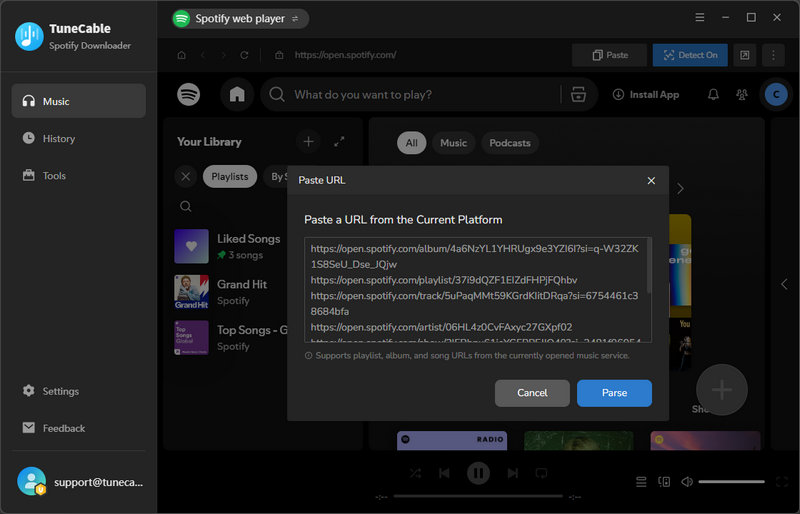
Step 1 Launch TuneCable, switch to "Spotify web player" in the top bar. Then, click "Paste".
Step 2 Paste the Spotify album, playlist, track, artist, audiobook, podcast, episode, or audiobook links into the box and click "Parse". Select the tracks you want and click "Add".
Step 3 Head to "Settings", pick MP3 as the output format, and tweak other options like bitrate, sample rate, and file naming however you like.
Step 4 Click "Convert" to start the download.
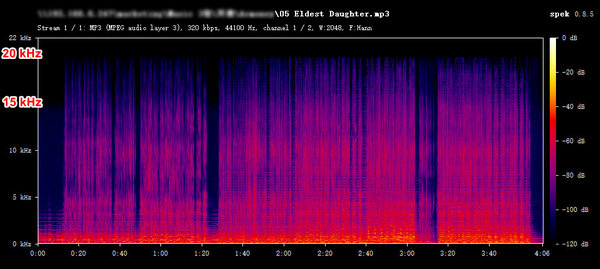
Tips: If you need 320kbps MP3 or 24-bit/44.1kHz Spotify lossless FLAC audio, please switch to Spotify app to download music (Premium required).
Test Notes:
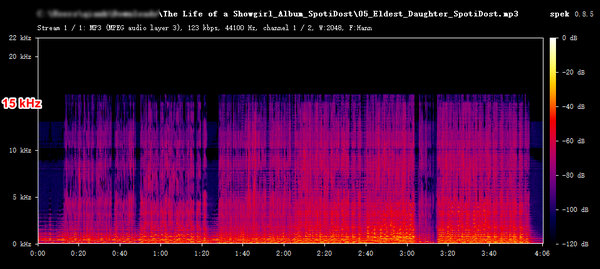
SpotiDost stands out from most online tools by allowing you to download entire playlists or albums as a single ZIP file in one go—making the process highly efficient. On top of that, its download speed is remarkably fast. With a decent internet connection, it can finish grabbing a full album in just a few seconds. The audio quality isn't top-tier, but if you're not too picky about that, it's a handy free tool worth trying out.
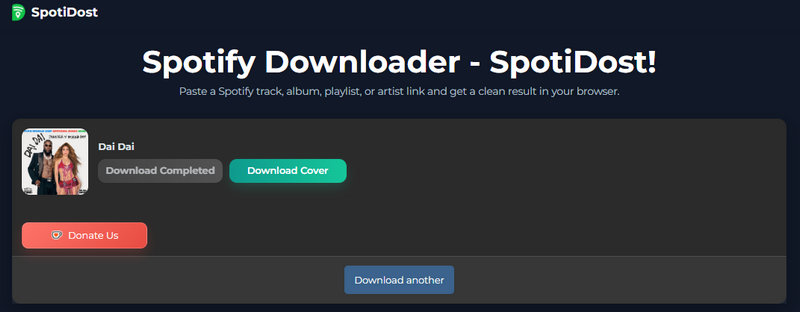
Step 1 Paste the Spotify link (for an album, playlist, track, or artist) into the SpotiDost website and click "Download".
Step 2 Click "Download All ZIP" to download the entire playlist or album at once, or click the "Download MP3" button next to each track to download specific songs.
Test Notes:
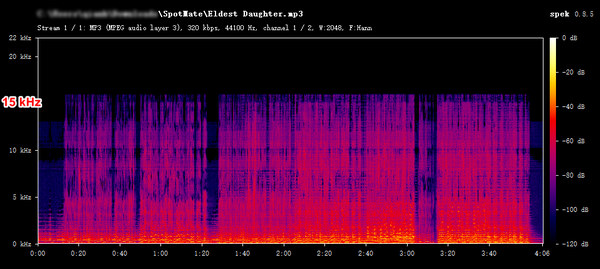
SpotMate Online is a free online Spotify link to MP3 converter that requires no login. Although it only supports MP3 audio quality of around 128–160 kbps, it can preserve basic metadata such as the year, album, and artist—which is more than sufficient for the average users who want a quick, hassle-free way to download Spotify tracks.
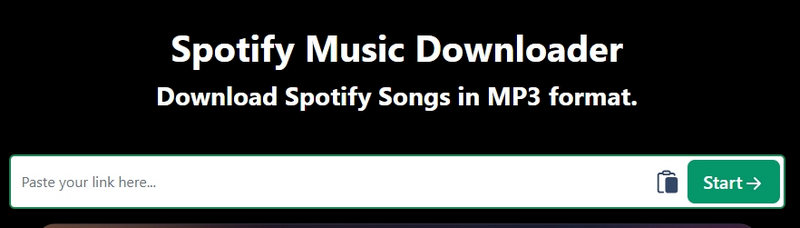
Step 1 Paste the Spotify link for an album, playlist, track, or artist into the SpotMate Online website and click "Start".
Step 2 Once the Spotify link has been processed, click "Convert".
Step 3 Click "Download" to start the download. Click "Download" again in the pop-up window to complete the download.
Test Notes:
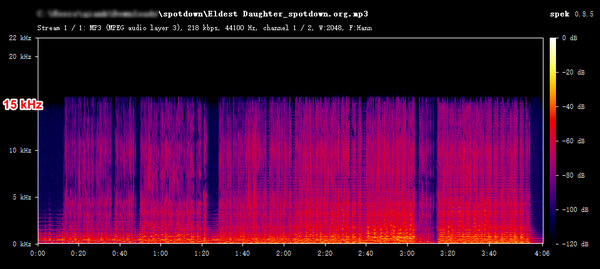
Spotdown allows users to convert a Spotify song, playlist, album, or artist track link to MP3 files online for free. Users simply need to paste a Spotify link to get the tracks they want. Although the audio quality isn't very high, it is a solid, cost-free tool that is worth trying.
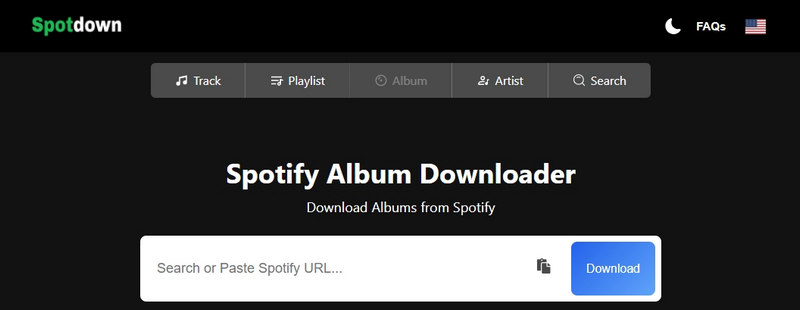
Step 1 Copy and paste the Spotify link (for an album, playlist, track, or artist) into the Spotdown website and click "Download" to the right of the search bar.
Step 2 Click "Get Link" next to the song you want to download.
Step 3 Once the download link is generated, click "Download Now" to complete the download.
Test Notes:
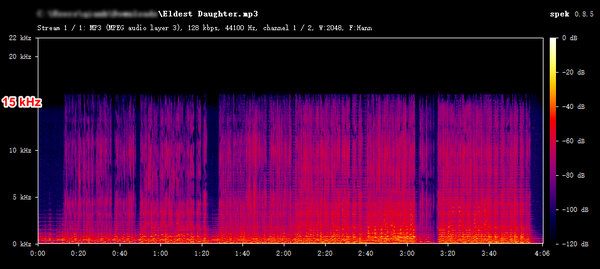
MusicFab claims to allow for the quick and unrestricted downloading of Spotify tracks, albums, and playlists in MP3 format. No registration or login is required, and there are no download limits. And since it's free to get started, there's really nothing to lose by giving it a spin.
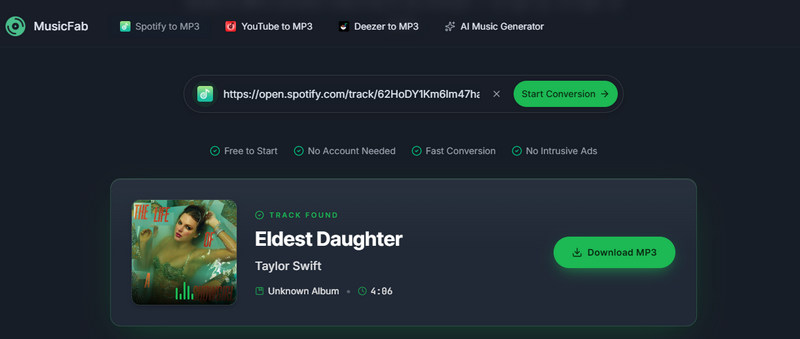
Step 1 Copy and paste the Spotify track link into the MusicFab website and click "Start Conversion".
Step 2 Once the link has been processed, click "Download MP3" to convert the Spotify link to MP3.
Test Notes:
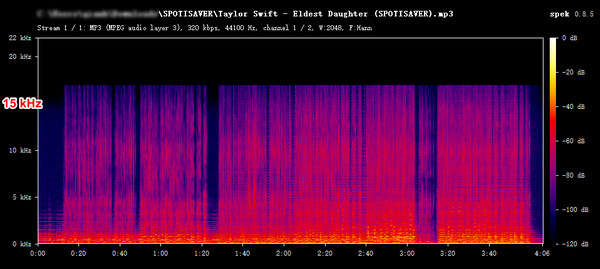
Spotisaver is an online MP3 downloader that can back up Spotify music as MP3 files. By parsing Spotify links, it can obtain Spotify songs, podcasts, and other content and convert them into MP3 files with a few clicks while also retaining song metadata such as disc number, year, artist, and album.
Step 1 Copy the album, playlist, track, artist, podcast, or episode link from Spotify, paste it into the Spotify website, and click "Load".
Step 2 After the Spotify link is parsed, click "Download" or "Download entire playlist".
Test Notes:
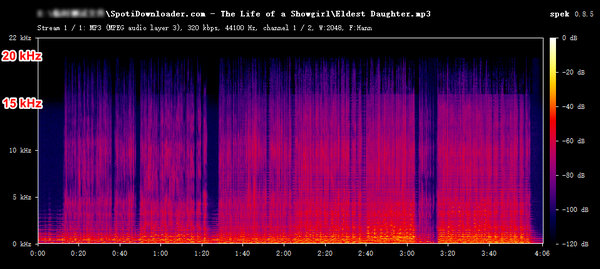
SpotiDownloader is a Spotify-to-MP3 tool that supports 320kbps downloads and allows users to save entire playlists as ZIP files. It is entirely free and allows easy direct downloads from the website with no installation or registration.
Step 1 Navigate to the Spotidownloader website, paste the Spotify track, playlist, or album link into the search bar, and click "Download".
Step 2 After the link is resolved, click "Download MP3" twice to save the Spotify MP3 file to the local device.
Test Notes:

Spowload is a free online Spotify link to MP3 tool designed to convert Spotify tracks, playlists, and albums into MP3 format. Though its single-track processing limitation makes it impractical for bulk downloads, it caters to users seeking a quick, no-cost solution for occasional offline listening.
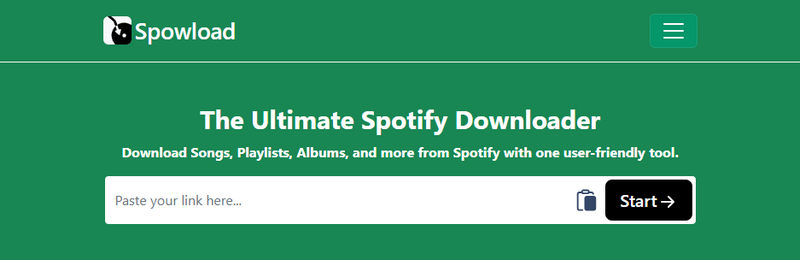
Step 1 Paste the Spotify link into the search box and click "Start" to parse.
Step 2 Once parsed, click "Convert" to convert Spotify link to MP3 files.
Step 3 Click "Download" to get the MP3 files.
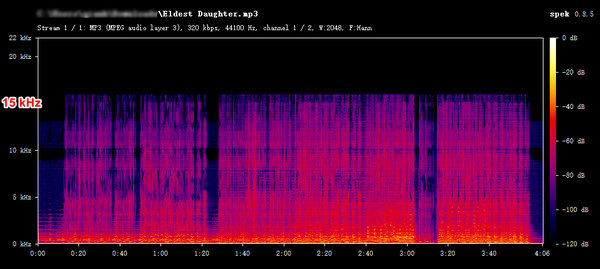
Test Notes:
Soundloaders is a web-based downloader that supports music extraction from multiple platforms, including Spotify, Deezer, Apple Music, YouTube Music, and SoundCloud. Currently, this tool only supports downloading music-related content from Spotify. Audiobook and podcast downloads are not supported.
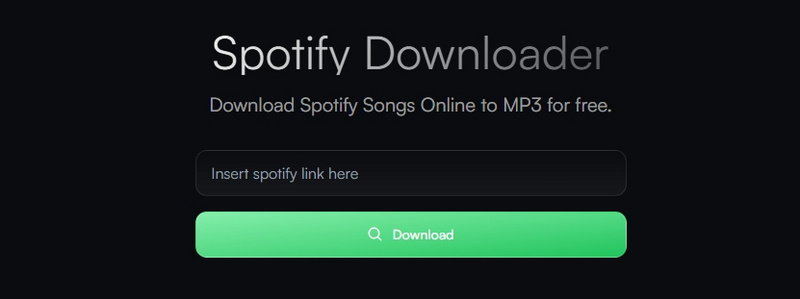
Step 1 Copy a Spotify song link, paste it into the Soundloaders website, and click "Download".
Step 2 Close any ad redirects and keep clicking "Download MP3" until it works.
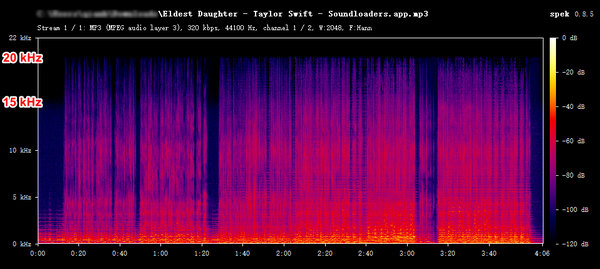
Test Notes:
SpotyLoader is a free, browser-based Spotify downloader that converts tracks, playlists, and albums to MP3, FLAC, or M4A in seconds. It supports bulk downloading of entire playlists or albums as ZIP files.
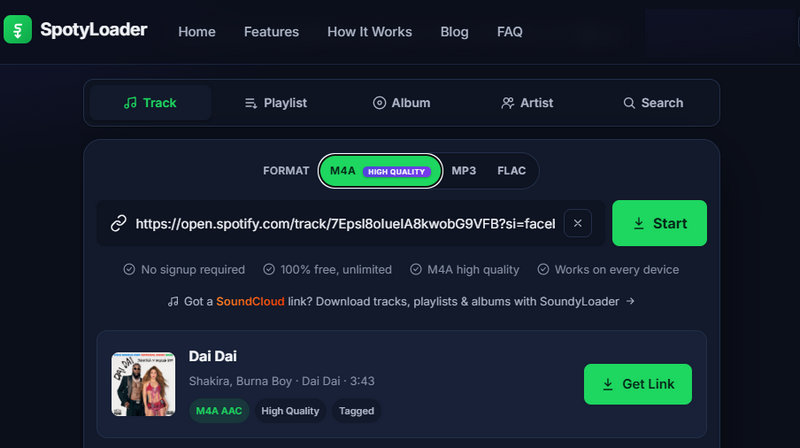
Step 1 Paste the Spotify link into the SpotyLoader website and click "Start" to match the song.
Step 2 Select the MP3 output format and click "Get Link".
Step 3 Click "Download" to save the track to your device.
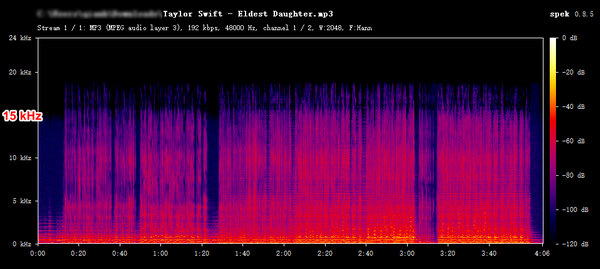
Test Notes:
| Tool | Supported Links | MP3 Output Quality | Download Speed | Ad-free | Success Rate | Best for |
|---|---|---|---|---|---|---|
| TuneCable Spotify Downloader | Album · Playlist · Track · Artist · Podcast · Episode · Audiobook | 320kbps | 5.43s/song (~38x) | ✅ | 100% | 320kbps MP3 & Bulk Downloads |
| SpotiDost | Album · Playlist · Track · Artist | ~128kbps | 1.49s/song (~140x) | ❌ | 100% | Fast ZIP Downloads |
| SpotMate | Album · Playlist · Track · Artist | 128–160kbps | 8.17s/song (~25.5x) | ❌ | 100% | Quick & Free Downloads |
| Spotdown | Album · Playlist · Track · Artist | 128–160kbps | 11.62s/song (~18x) | ❌ | 92% | Light & Occasional Use |
| MusicFab | Track | 128kbps | 55.12s/song (~3.8x) | ✅ | 92% | Single-Song Downloads |
| Spotisaver | Album · Playlist · Track · Artist · Podcast · Episode | 128–160kbps | 34.1s/song (~6x) |
✅ | 100% | Metadata and Cover Retention |
| SpotiDownloader | Album · Playlist · Track | 192–320kbps | 8.82s/song (~23.7x) | ❌ | 100% | Light Playlist Downloads |
| Spowload | Album · Playlist · Track · Artist | 128kbps | 6.97s/song (~30x) | ❌ | 100% | Occasional Single-track Downloads |
| Soundloaders | Album · Playlist · Track · Artist | 320kbps | 47.15s/song (~4.4x) | ❌ | 100% | Quick One-offs |
| SpotyLoader | Album · Playlist · Track · Artist | 192kbps | 41.88s/song (~5x) | ❌ | 100% | One-off Spotify Playlist Downloads |
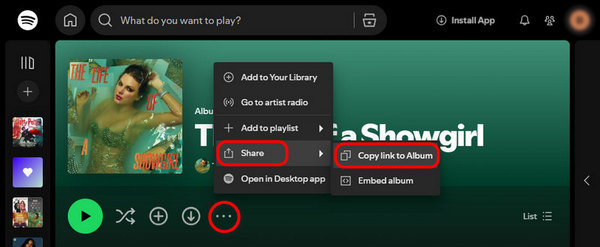
On PC, open any Spotify track, album, or playlist, hit the three-dot icon > "Share" > "Copy link to xxx".
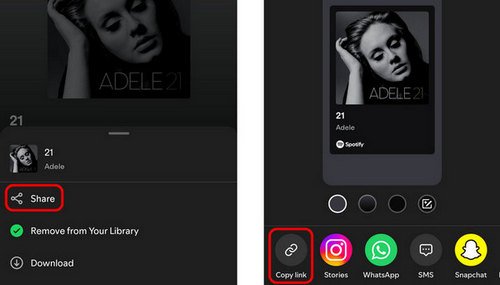
On mobile, open any Spotify track, album, or playlist, tap the three-dot icon > "Share" > "Copy link".
Yes, some tools support converting Spotify playlist links to MP3 files at once. You can refer to TuneCable Spotify Downloader in this article, which supports parsing and downloading multiple playlists, albums, tracks, podcasts, etc. at once.
Online and desktop Spotify link to MP3 converters mainly differ in how many links they can process, supported link types, output formats, and file organization.
We've tested 10 solutions for converting Spotify links to MP3 files. Generally speaking, online tools are quick and hassle-free, but they typically support fewer link types and deliver audio quality capped at around 128kbps. Batch downloading is also limited. However, they still work well for casual users who only need an occasional free download and aren't concerned with high fidelity.
For users who need 320kbps or even lossless quality, or need to download large playlists or albums, online tools fall short. In such cases, desktop Spotify link to MP3 converters such as TuneCable Spotify Downloader offer a more professional and reliable alternative, with better stability, higher output quality, and stronger security. So, which one should you pick? It depends on what you value more: free and fast, or high-quality and reliable. Choose what works for you—that's the only rule.
 What's next? Download TuneCable Spotify Downloader now!

Ava Morrison | Senior Writer
TuneCable Spotify Downloader


