
 >
How To >
Spotify Music Tips >
>
How To >
Spotify Music Tips >
While Spotify allows Premium users to download the entire album with a single tap, it restricts playback of those downloads exclusively to its own app. To enjoy their favorite music on other devices or build a permanent offline music collection, many users turn to Spotify album downloaders, tools that enable downloading albums from Spotify in universally compatible formats like MP3 or FLAC.
In this article, we will review 8 viable tools, including options for desktop users, Android mobile devices, and some web-based online options. We'll break it down for you by looking at the pros and cons, how to actually use the software, the real-world results we got, and who it's best for. If you're still searching for a reliable Spotify album downloader, this will help you make an informed decision.

TuneCable Spotify Downloader is available for both desktop and mobile devices, making it a flexible solution for downloading Spotify albums on Windows, Mac, and Android.
For desktop users, this Spotify album downloader features a batch download feature and superior sound quality. It supports batch downloading multiple albums simultaneously in MP3, AAC, ALAC, FLAC, AIFF, or WAV formats, and outputting Spotify Lossless audio. For easy music management, it can automatically save songs from each album into a folder named after the album.
For Android users, TuneCable provides a lightweight APK version optimized for mobile devices. It allows users to easily download albums, playlists, and other content in MP3, AAC, FLAC, or WAV format for offline listening. Like its desktop application, it also supports preserving ID3 tags and organizing music files efficiently for easy offline playback. Here are some more features of this powerful Spotify album downloader:
TuneCable Spotify Downloader
⚠️ Note: Want a full guide to download the full Spotify album on Android devices? Check here to learn more.
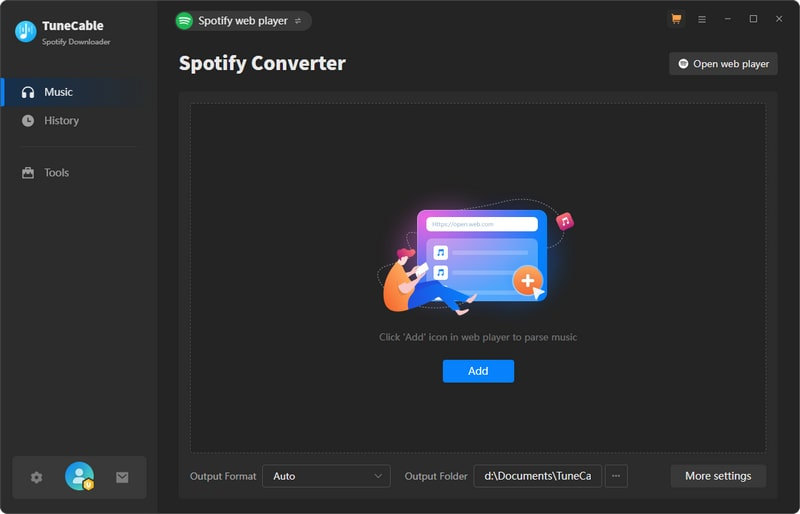
Step 1 Launch TuneCable Spotify Downloader and Select Download Source
Launch TuneCable Spotify Downloader, then choose to download music from the Spotify app or the Spotify web player. Next, log in to your Spotify account. Please note that to download Spotify Lossless, you need to select the Spotify app, and a Premium account is required. Here we will take the Spotify web player as an example.
Step 2 Modify Output Settings
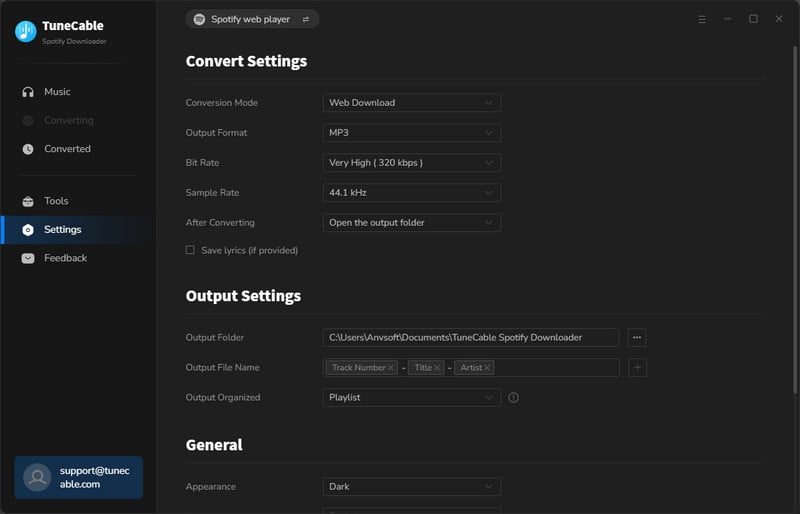
Click the gear icon in the bottom left corner to enter the "Settings" interface, where you can modify important parameters such as output format, sample rate, and bit rate. If you want to save all songs from the same album in a folder named after it, select "Album" under the "Output Organized" tab.
Step 3 Choose the Album You Want to Download
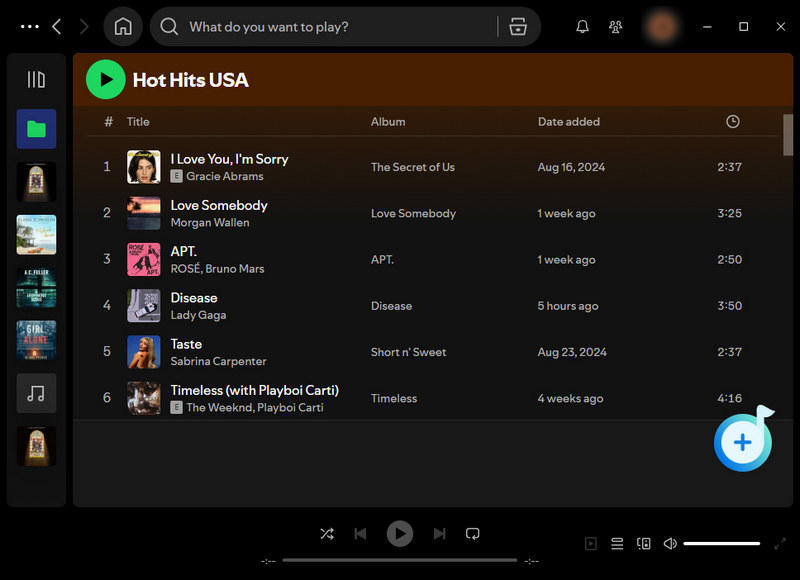
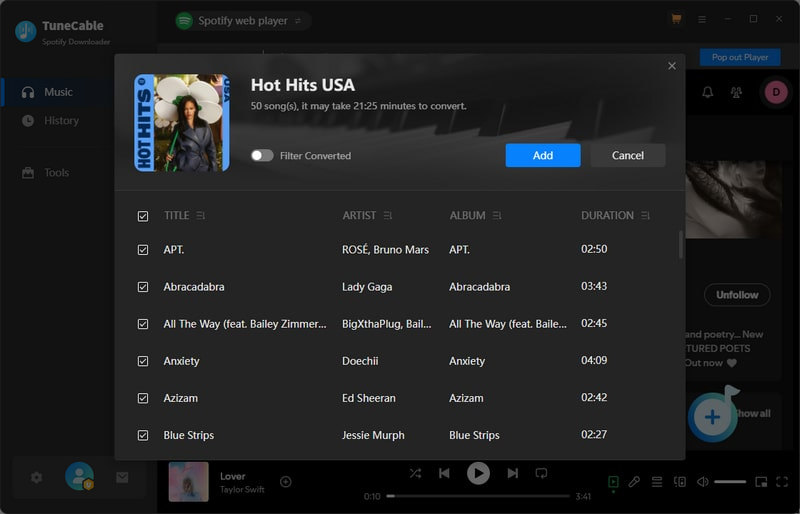
Locate the album page, hit the "Click to add" button in the lower right to analyze the songs in the specific album. All songs are selected by default. To download the entire album, simply click "Add". Also, you can also select only some songs from the album to add them to the task list. To add multiple albums for batch download, click "Add More" and repeat the adding steps.
Step 4 Start Downloading Spotify Album
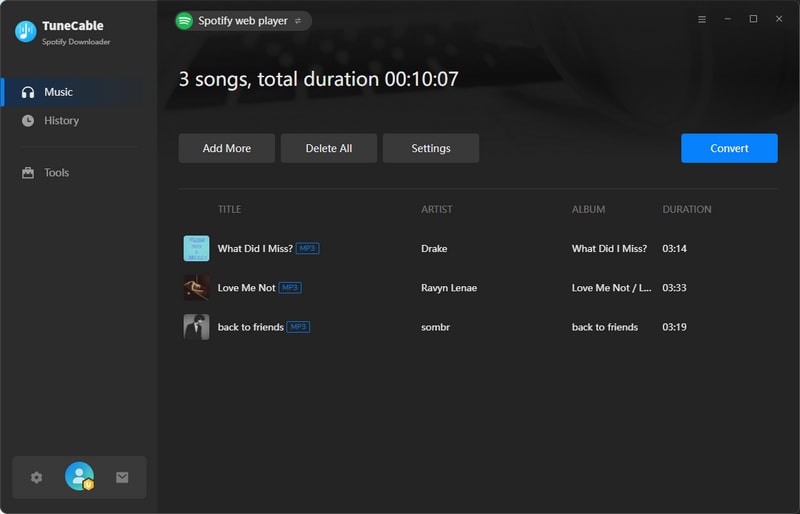
Simply click "Convert" to start downloading the songs to your local storage. TuneCable offers a maximum conversion speed of up to 40x, but the actual conversion speed depends on factors such as your internet speed. Once the download is complete, important ID3 tags, album art, and some other metadata can be saved correspondingly.
Step 5 View Download History or Locate Downloaded Local Music Files
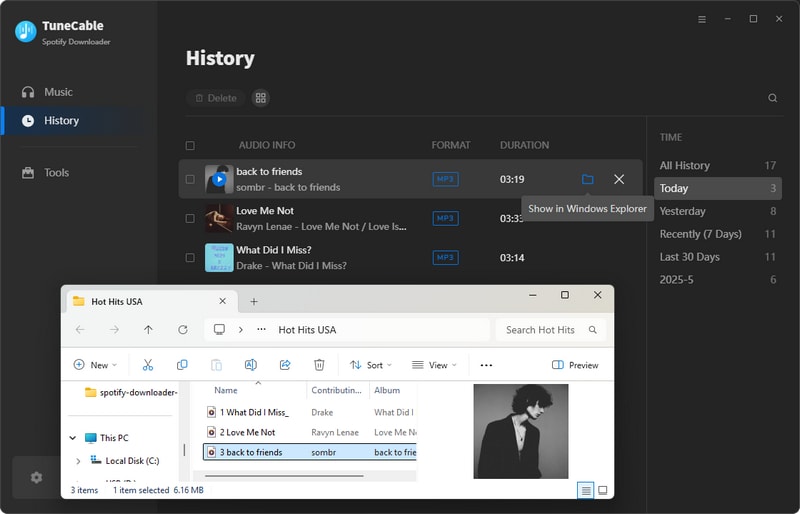
To view all downloaded songs, simply click the "History" button on the left bar. Also, you can click the folder icon to jump to the downloaded local music files.
⚠️ Note: The real test results presented in this article were obtained by downloading a specific album below (14 tracks). To ensure impartiality, it serves as the standard test sample for every Spotify downloader we evaluate here.
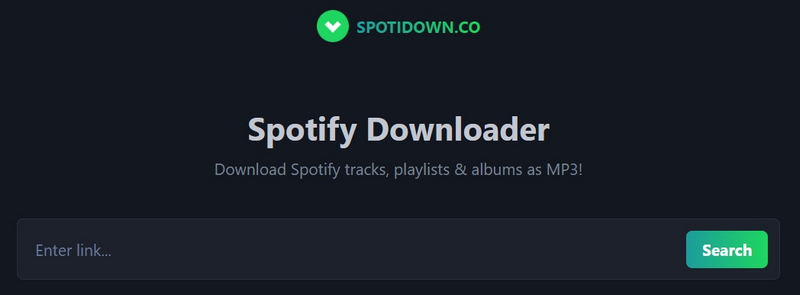
spotidown.co is a worth-trying free online Spotify album downloader. With a clear interface, this web-based tool enables downloading a Spotify album with one click. Remarkably, especially for an online tool, it supports custom output filenames, even though there are only a few options available.
Step 1 Visit spotidown.co.
Step 2 Copy and paste the Spotify album URL and click "Search".
Step 3 Click the gear button to set the "Filename template". Click "Download ZIP" and wait for the download progress bar to complete.
Step 4 Click "Save ZIP" to save them on local storage.
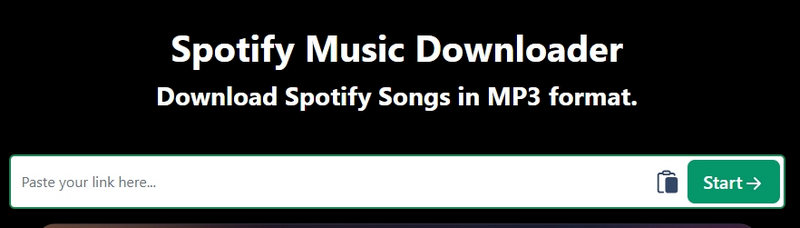
SpotMate is a free online Spotify album downloader that requires no extensions or software installation. By parsing the Spotify album URL, it can download songs within the album to MP3 files at up to 320 kbps.
Step 1 Paste the Spotify album URL into the SpotMate website and click "Start".
Step 2 After the album URL is parsed, click "Convert" next to each song.
Step 3 Click "Download" next to the song. After waiting a few seconds for an ad, hit "Download" again in the pop-up window to start the real downloading.

Not satisfied with free online Spotify album downloaders that don't support batch downloads? Try the more powerful Spotify album downloader, TuneCable Spotify Downloader, specifically designed for quickly downloading Spotify albums in bulk with a few clicks. It is the perfect choice for Windows, Mac, and Android users. Click the button on the right to try it out.
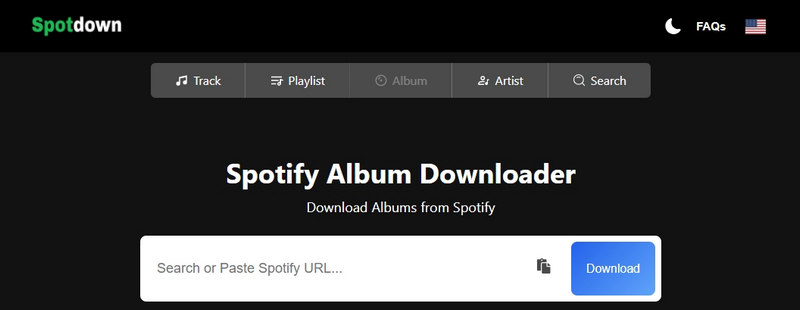
Spotdown is another web-based Spotify album downloader. Users can easily obtain the MP3 files for all tracks within the album by parsing the URL. Although it doesn't support batch downloads, it is enough for casual users as a free tool.
Step 1 Copy and paste the Spotify album URL to the Spotdown website and click the "Download" button to parse it.
Step 2 After parsing is complete, click "Get Link" next to each song to parse it again.
Step 3 Click the "Download Now" button next to the song and wait for the download to complete. Then, repeat the above steps to download the remaining songs in the album to your local device.
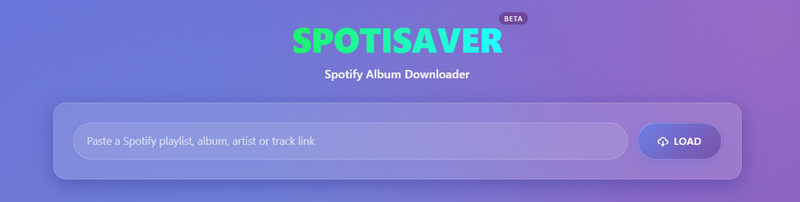
Spotisaver is a convenient and easy-to-use Spotify album to MP3 converter, which allows user to get 320kbps MP3 downloads with just a few clicks via the Spotify album link. It streamlines the entire process, letting users build an offline music library without any complicated steps.
Step 1 Copy and paste the Spotify album URL into the Spotisaver website. Click "LOAD".
Step 2 Click "DOWNLOAD ENTIRE PLAYLIST" to create a ZIP file.
Step 3 Click "DOWNLOAD ZIP" to save the file to your local computer.
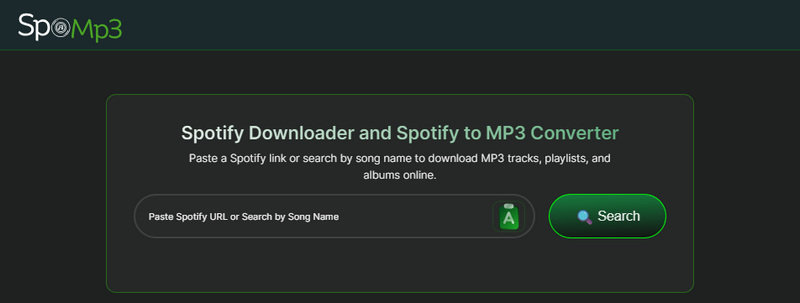
SpoMp3 is an online Spotify music downloader. It features converting songs, albums, or playlists from Spotify into MP3 format for free and downloading them to their local devices. For ordinary users who just download a few songs from time to time, it's definitely more than enough.
Step 1 Copy and paste the Spotify album URL into the spomp3 website. Click "Search".
Step 2 Click the "Download" button next to each song, then click "Save File". Repeat the steps until each song in the album has been downloaded.
SpotiSoft is a convenient online Spotify album to MP3 downloader. Users can download an entire album as a compressed file using only a browser. Among users who simply need a temporary music file, this tool remains very popular — even though the output MP3 files are only 128 kbps quality.
Step 1 Copy and paste the Spotify album URL into the SpotiSoft website, and click "Convert to MP3".
Step 2 Select the audio quality. (Note that SpotiSoft only offers the 128 kbps MP3 option to free users.)
Step 3 Click the Download button and wait for the download to complete.
Spowload is a web-based tool for downloading Spotify songs for free. Despite being a free online Spotify album downloader, it can download MP3s at 320 kbps. Given that it can only download one song at a time, it is most appropriate for casual users with light download demands.
Step 1 Copy the Spotify album URL to the match field and click "Start".
Step 2 Click "Convert" on the right side of each song in the album list, and after a match is complete, click "Download". Repeat the step until all songs in the entire album have been downloaded.
| Feature | TuneCable Spotify Downloader | spotidown.co | SpotMate | Spotdown | Spotisaver | SpoMp3 | SpotiSoft | Spowload |
|---|---|---|---|---|---|---|---|---|
| Ranking | ⭐⭐⭐⭐⭐ | ⭐⭐⭐⭐ | ⭐⭐⭐ | ⭐⭐ | ⭐⭐ | ⭐⭐ | ⭐⭐ | ⭐⭐ |
| Compatibility | Windows, Mac, Android | Web-based | Web-based | Web-based | Web-based | Web-based | Web-based | Web-based |
| Output Format | MP3, AAC, ALAC, FLAC, WAV, AIFF | MP3 | MP3 | MP3 | MP3 | MP3 | MP3 | MP3 |
| Output Quality | up to Spotify Lossless | 192 kbps | 320 kbps | ~ 200 kbps | 320 kbps | 64 kbps | 128 kbps | 320 kbps |
| Conversion Speed | ⚡ up to 40x | Medium | Medium | Fast | Medium | Fast | Fast | Medium |
| Batch Download | ✅ Download multiple playlists at once | ✅ (Download 1 album once & save as a ZIP file) | ❌ | ❌ | ✅ (Download 1 album once & save as a ZIP file) | ❌ | ✅ (Download 1 album once & save as a ZIP file) | ❌ |
| Organize Downloaded Albums | ✅ Highly efficient, by Playlist, Artist, Album, Genre, Year, Disc Number. | ❌ | ❌ | ❌ | ❌ | ❌ | ❌ | ❌ |
| Customize Output File Name | ✅ {Track Number}, {Title}, {Artist}, {Album}, {Playlist Index}, {Year}, {Disc Number} | ✅ {number} {name} {artist} {album} {releaseDate} | ❌ | ❌ | ❌ | ❌ | ❌ | ❌ |
| Metadata | ✅ Full metadata | ⚠ Partial | ⚠ Partial | ⚠ Partial | ⚠ Partial | ⚠ Partial | ⚠ No metadata | ⚠ Partial |
| Ad-Free UI | ✅ | ❌ | ❌ | ❌ | ❌ | ❌ | ❌ | ❌ |
The Spotify app does not provide unencrypted downloaded Spotify album audio files. Premium users can only find cached downloads. You can go to the Spotify app, click the Downloaded filter icon in the Your Library section to view downloaded albums.
Yes. Just use TuneCable Spotify Downloader. It supports batch downloading multiple albums as MP3, AAC, ALAC, FLAC, WAV, or AIFF files.
Spotify album downloader software typically offers high output audio quality. For example, TuneCable Spotify Downloader supports outputting up to Spotify Lossless audio quality. While some online websites, like SpotMate, support downloading 320 kbps MP3s, most web-based online Spotify album downloaders offer relatively low audio quality, around 200 kbps.
No. The tools reviewed in this article all support using a free Spotify account to download Spotify albums.
There are several possible reasons:
If your Spotify album downloader stops working due to any of the issues above, we recommend switching to a more reliable alternative for uninterrupted album downloads.
In this article, we reviewed and ranked 8 Spotify album downloaders, including options for desktop users, Android mobile devices, and some web-based online options. Based on real test data and user experience, we summarized the pros and cons of each tool and for whom each tool is best suited. In conclusion, TuneCable Spotify Downloader is the best choice for batch downloading Spotify albums. Click the button below to try it out!
 What's next? Download TuneCable Spotify Downloader now!

Ava Morrison | Senior Writer
TuneCable Spotify Downloader


