
 >
How To >
Music Tips >
>
How To >
Music Tips >
Is ViWizard Spotify Music Converter worth it? Is it safe? In October 2026, we tested its latest version on a Windows 11 PC to evaluate its speed, audio quality, safety, and ease of use. This review covers its pricing, test results, pros and cons, and the best alternative to help you decide whether it's the right choice for you.
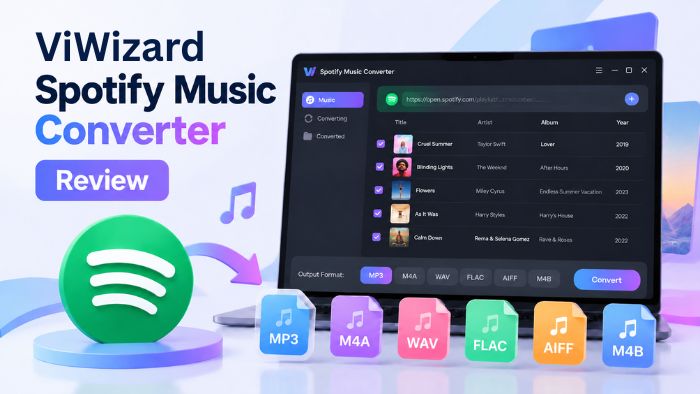
ViWizard Spotify Music Converter is easy to use and supports batch downloads, multiple output formats, and ID3 tag preservation. However, in our tests, its actual download speed fell short of its advertised claims, and we also encountered occasional download failures and potential account-related concerns. Overall, it works for basic desktop use, but users who care more about speed and reliability may want to compare other options like TuneCable Spotify Downloader.
ViWizard Spotify Music Converter is one of the products developed by ViWizard, which develops streaming music downloaders and video downloaders.
We've summarized the basic information about ViWizard Spotify Music Converter based on details from its official website, as of October 30, 2026.
| ViWizard Spotify Music Converter | |
|---|---|
| Supported Platforms | Windows 10 or later (32 / 64-bit), macOS 11 or later |
| Supported Spotify accounts | Free and Premium |
| Supported Spotify content | Spotify songs, albums, artists, playlists, podcasts, audiobooks |
| Supported format | MP3, FLAC, WAV, AIFF, M4A, M4B |
| Advertised speed | Up to 15 / 13x |
| Free trial limitation | Download the first 30 seconds of each track |
| Pricing (for 1 PC) | $19.95 / month; $44.95 / year; $80.95 / lifetime |
| Mobile app | Not available |
| Latest Version | 4.1.2 (Tested on October 29, 2026) |
Attention: The maximum download speed indicated on the homepage of ViWizard's official website and the ViWizard Spotify Music Converter product page are inconsistent, at 13x and 15x, respectively. It is recommended to refer to the actual test results for accuracy.
Download songs, albums, artists, playlists, podcasts, and audiobooks from the Spotify web player. (For audiobooks, make sure you've purchased the title or have access to the full audiobook.)
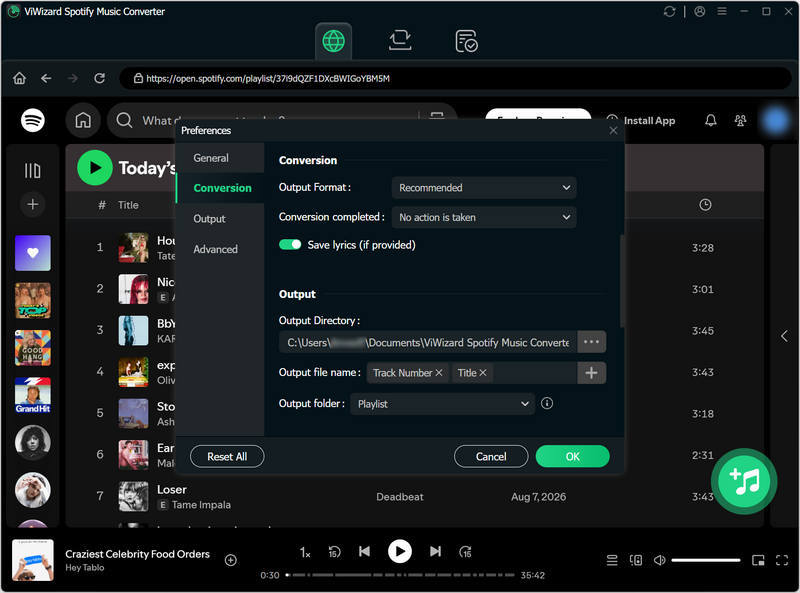
(Note: Available parameters may vary depending on the selected format.)
The downloaded Spotify content can be played within the built-in player with adjustable playback speed from 0.5x to 2x.
The program is available in English, French, German, Japanese, Spanish, and Simplified Chinese.
ViWizard Spotify Music Converter is paid desktop software. Users must purchase a license to unlock its full features.
New users can try the trial version, which limits downloads to the first 30 seconds of each song.
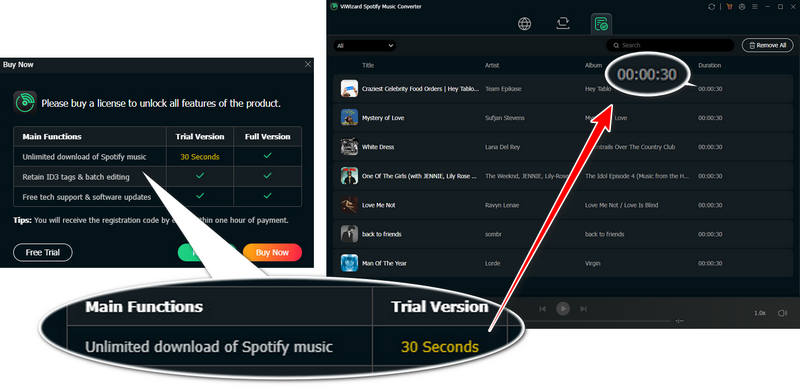
ViWizard offers several license and plan options to suit different needs. Here's a breakdown of its pricing plans.
| Plans & Licenses | Individuals (1 PC) | Family (3 PCs) | Bundles (1 PC & 1 Mac) |
|---|---|---|---|
| Monthly License | $19.95 | $29.95 | $25.95 |
| Yearly License | $44.95 | $69.95 | Not available |
| Lifetime License | $80.95 | Not available | $99.95 |
Note: Monthly and annual licenses renew automatically by default. Prices, including promotional offers, may change at any time. Please check the official website for the latest pricing.
Different plans and license options come with different money-back guarantee periods, as shown in the table below.
| Money-Back Guarantee | Applicable Plans and Licenses |
|---|---|
| 14 days |
Individual Plan: Monthly License Family Plan: Monthly License |
| 30 days |
Individual Plan: Yearly & Lifetime License Family Plan: Yearly License Bundles Plan: Monthly & Lifetime License |
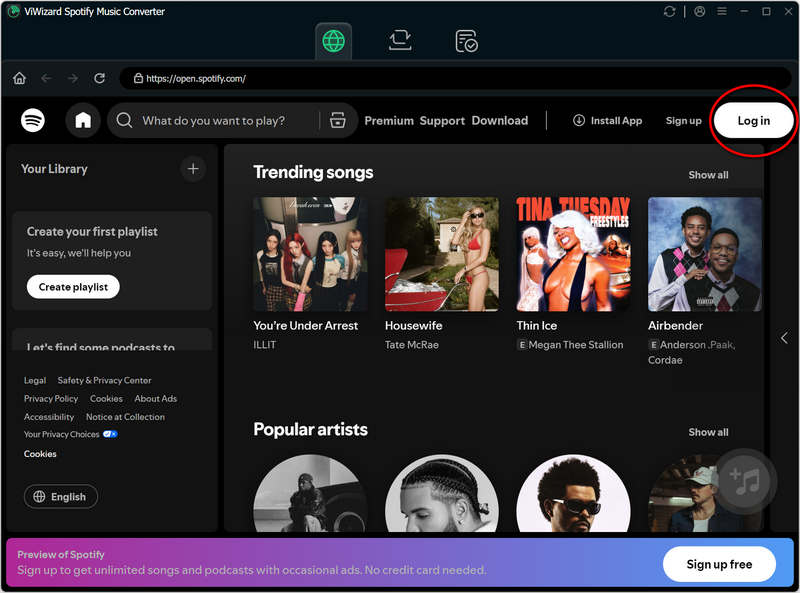
Step 1 Install and launch ViWizard Spotify Music Converter. Log in to your Spotify Free or Premium account within the built-in Spotify web player.
Step 2 Go to "Preferences" in the menu to configure output settings such as format, bitrate, and sample rate.
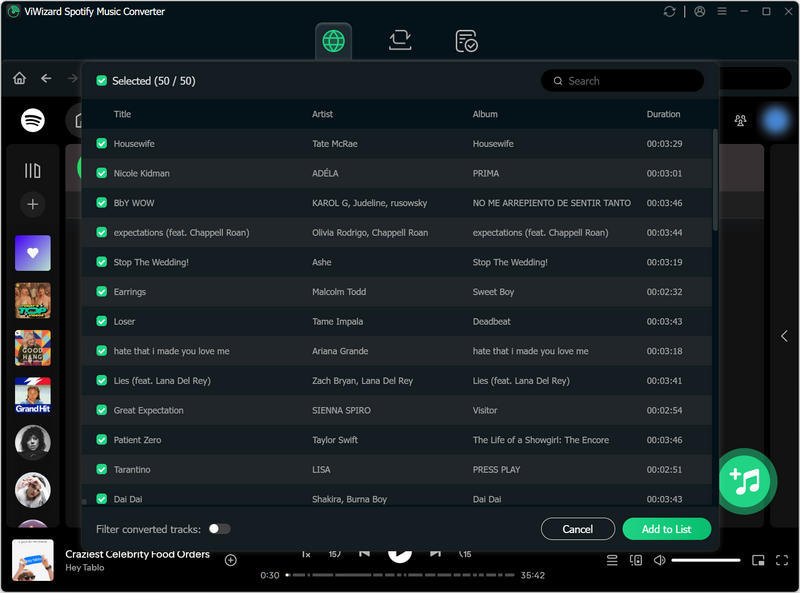
Step 3 Open any playlist, artist profile, single, podcast, or audiobook page, then click the "+" button. Choose songs and hit "Add to List".
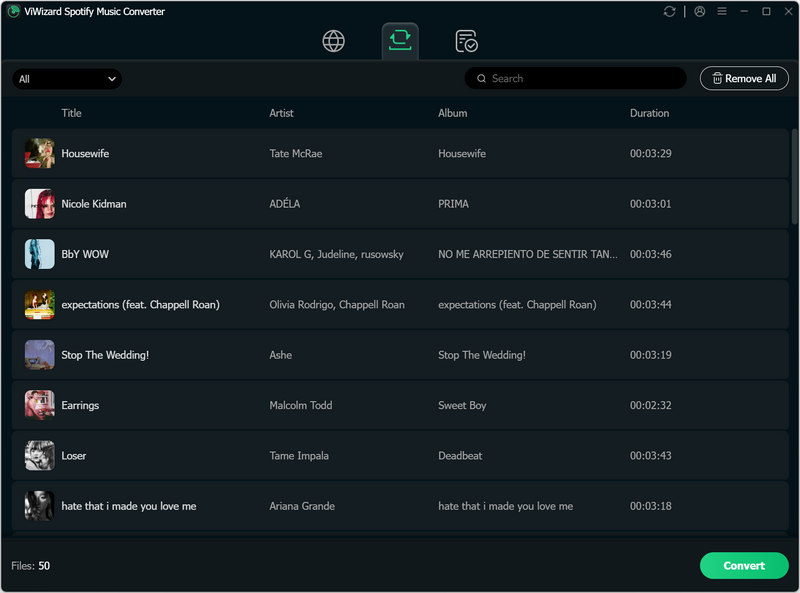
Step 4 Click "Convert" to begin the download.
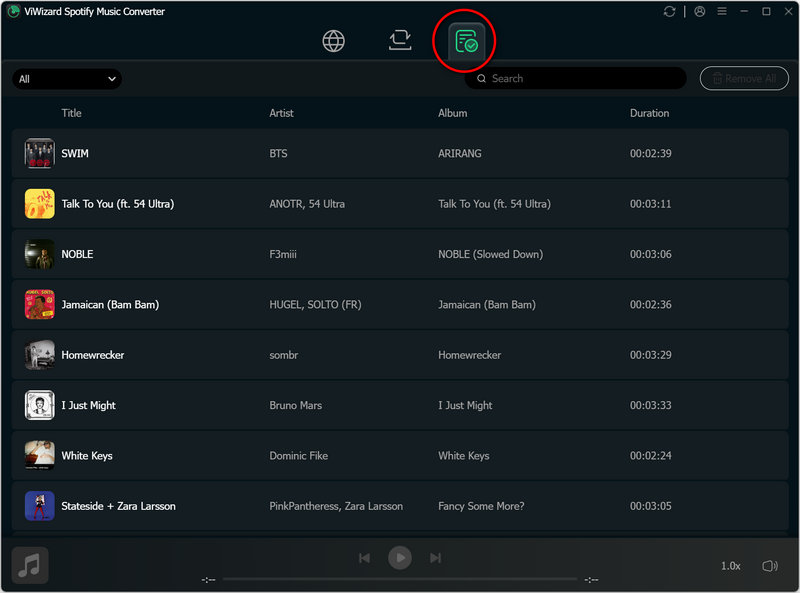
On October 29, 2026, we tested ViWizard Spotify Music Converter version 4.1.2 on a Windows 11 PC using both Spotify Free and Premium accounts. We used the same Spotify playlist (50 songs, with a total duration of 2 h 45 min) as the test sample for both accounts to ensure a consistent comparison. Below are our hands-on test results.
| Test Items | Test 1 (Use Spotify Free Account) |
Test 2 (Use Spotify Premium Account) |
|---|---|---|
| Total Download Time | 25:06 | 21:02 |
| Average Download Time | ≈ 31.4s / song | ≈ 25.24s / song |
| Actual Download Speed | ≈ 6.31x | ≈ 7.84x |
| Songs Completed | 48 / 50 | 50 / 50 |
| Output Bitrate & Sample Rate | 127–128 kbps / 44.1 kHz | 255–256 kbps / 44.1 kHz |
| ID3 Tags Kept | Title, Artist, Album, Year, Track Number | Title, Artist, Album, Year, Track Number |
| Lyrics Saved | ✔️ | ✔️ |
| Playlist Order Kept | ✔️ | ✔️ |
| Batch Download Supported | ✔️ | ✔️ |

ViWizard's actual download speed fell short of its advertised claims in our tests. If you're looking for a faster and more flexible alternative, TuneCable Spotify Downloader is worth considering. It supports batch downloading of Spotify playlists and comes with built-in tools for managing music files, editing tags, and converting audio formats.
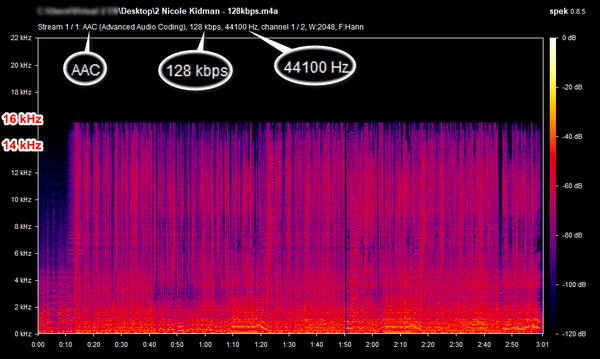
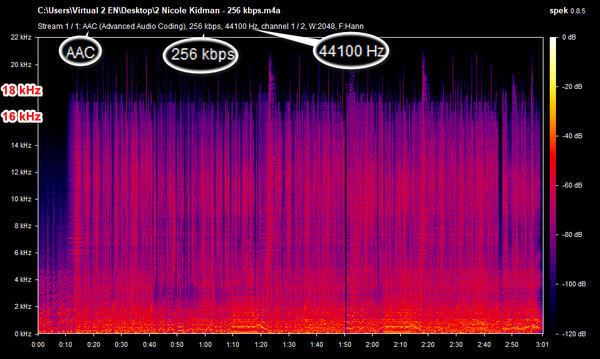
Based on our test results, neither test reached ViWizard's advertised maximum download speed. The maximum output bitrate was 128 kbps with a Spotify Free account and 256 kbps with a Spotify Premium account.
We analyzed the audio files of the same song downloaded using Spotify Free and Premium accounts in separate tests with Spek. The resulting spectrograms are shown below.
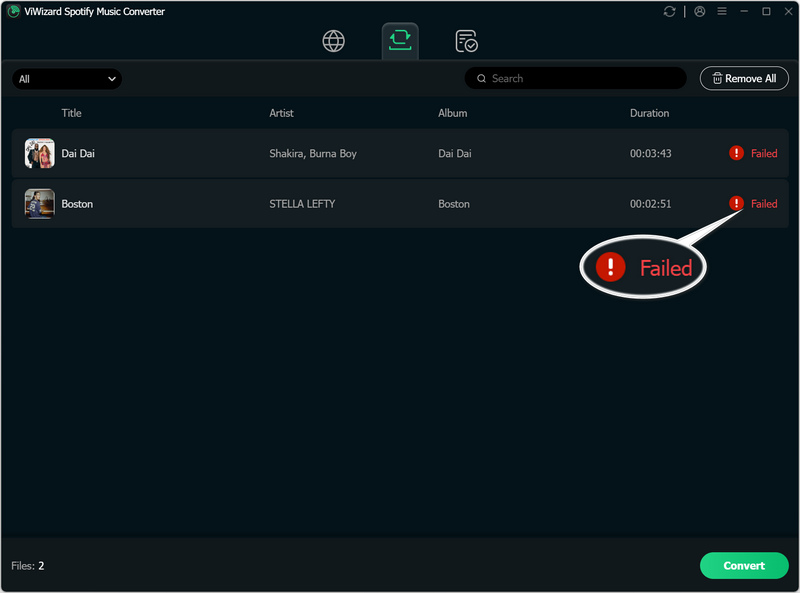
During testing, the overall stability was good, and the program was able to download songs correctly. However, we did encounter some download failures. When using a Spotify Free account, two songs failed to download, with a "Failed" notification appearing. After a short while, the program proceeded to download the remaining songs.
Based on the actual test results and experience, we have summarized the pros and cons of ViWizard Spotify Music Converter. In addition, we also collected genuine user reviews.
ViWizard has a 4.3/5 Trustpilot rating based on 364 reviews at the time of writing. However, user experiences vary, particularly regarding account safety and software reliability. We selected several positive and negative Trustpilot reviews to illustrate the different experiences reported by users.
Some users have reported that their Spotify accounts were banned, with some reporting permanent bans.
Read the Trustpilot review →Some users found the software simple and easy to use.
Read the Trustpilot review →Some users reported difficulties registering for the service.
Read the Trustpilot review →Some users have praised ViWizard’s customer service, noting that support is prompt and the solutions provided by the staff are effective.
Read the Trustpilot review →Some users complained about slow download speeds.
Read the Trustpilot review →Security is another important concern when choosing software, so we also investigated ViWizard Spotify Music Converter's safety to help users make a more informed decision.
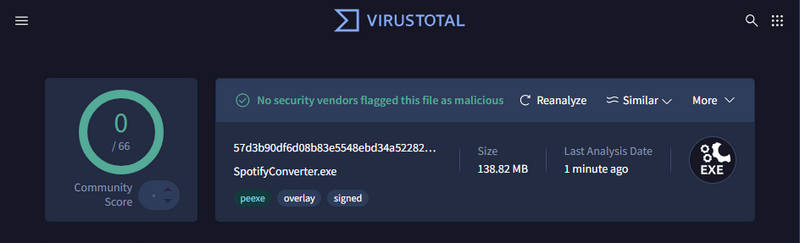
We scanned the ViWizard Spotify Music Converter installation package downloaded from the official website using VirusTotal, and no malware was detected. Furthermore, we did not encounter any bundled software during the installation process.
We recommend downloading ViWizard Spotify Music Converter only from its official website. Cracked versions and installers from unofficial third-party sources may contain malware or pose other security risks.
Some users reported that their Spotify accounts were banned after using ViWizard. On Trustpilot, ViWizard responded that "high-speed recording may increase the chance of account checks or restrictions."
Our own testing raised a similar concern. Approximately three hours after completing our tests on ViWizard, the Spotify account we used for testing was suspended. Although we cannot confirm that ViWizard directly caused the suspension, the timing of the incident is concerning and suggests that users should be aware of the potential risks to their Spotify accounts before using the software.
Our testing has revealed that ViWizard Spotify Music Converter has certain limitations, such as a 30-second trial restriction, slow download speeds, and occasional download failures. Given this, you might want to consider an alternative to ViWizard. If you are looking for other options, you could try TuneCable Spotify Downloader, which offers flexible output formats, faster download speeds, and more efficient file organization.
TuneCable Spotify Downloader
We compared the performance and actual test results of TuneCable Spotify Downloader against ViWizard Spotify Music Converter.
| Features | ViWizard Spotify Music Converter | TuneCable Spotify Downloader |
|---|---|---|
| Output Formats | MP3, FLAC, WAV, AIFF, M4A, M4B | MP3, FLAC, WAV, AAC, ALAC, AIFF |
| ID3 Tags Kept | Title, Artist, Album, Year, Track Number | Title, Artist, Album, Year, Track Number |
| Download Speed | Up to 15x / 13x | Up to 40x |
| Save Lyrics | ✔️ | ✔️ |
| Batch Download | ✔️ | ✔️ |
| Back Up Spotify Library | ✔️ | ✔️ |
| Save Spotify Music Videos | ❌ | ✔️ |
| Mobile App | ❌ | ✔️ |
| Download Without Login | ❌ | ✔️ |
| Embedded Tools | ❌ | ✔️ |
| Output Organization | Playlist, Artist, Album, Artist/Album, Album/Artist, Playlist/Artist, Playlist/Album | Playlist, Artist, Album, Genre, Year, Disc Number (Custom sorting & multi-level folders) |
| Output File Name Customization | Track Number, Title, Artist, Album, Playlist Index, Year | Track Number, Title, Artist, Album, Playlist Index, Year, Disc Number |
| Pricing (1 Device) | $19.95/month; $44.95/year; $80.95/lifetime | $44.95/year; $89.90/lifetime |
| Free Trial | 30s of each song | 60s of each song |
Note: Prices, including promotional offers, may change at any time. Please check the official website for the latest pricing.
Note: For a fair comparison, both ViWizard and TuneCable were tested using the same Spotify Premium account, the same 50-track playlist, the same Windows 11 PC, and the same network connection. Identical output parameters were also selected.
| Test Items | ViWizard Spotify Music Converter | TuneCable Spotify Downloader |
|---|---|---|
| Total Download Time | 21:02 | 05:36 |
| Average Download Time | ≈ 25.24s / song | ≈ 6.72s / song |
| Actual Download Speed | ≈ 7.84x | ≈ 29.46x ⚡️ |
| Songs Completed | 50 / 50 | 50 / 50 |
| Output Bitrate & Sample Rate | 255–256 kbps / 44.1 kHz | 255–256 kbps / 44.1 kHz |
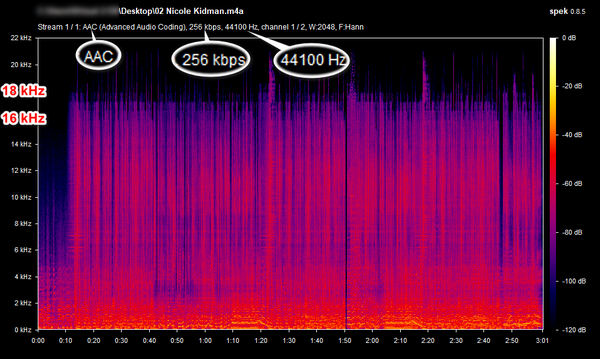
Based on our test results, the audio quality produced by TuneCable and ViWizard is about the same. However, in terms of download speed, TuneCable is significantly faster than ViWizard.
Step 1 Launch TuneCable and log in to your Spotify account.
Tips: TuneCable allows you to download music without logging into an account. However, if sound quality is a priority for you, it is recommended to log in with your Spotify account when downloading music.
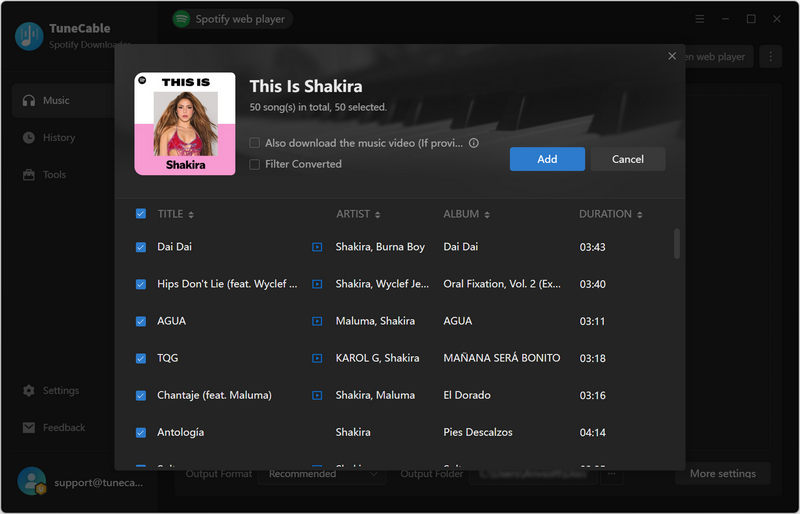
Step 2 Find the playlist, album, or other content you want to download. Click the "+" button and select the tracks, then click "Add". Then you can click "Add More" to keep adding other playlists or tracks if needed.
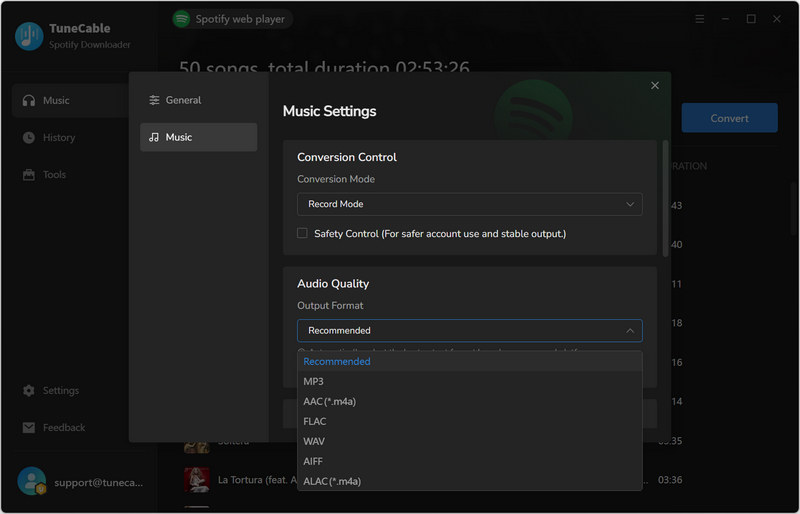
Step 3 Go to "Settings" to choose output format, bit rate, sample rate, etc.
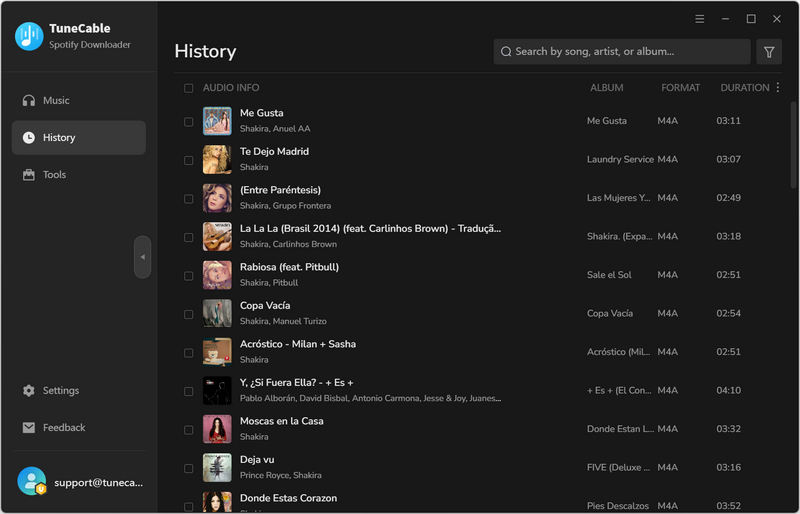
Step 4 Click "Convert" to start the download. Then check the downloaded Spotify tracks in "History".
Yes. ViWizard supports both Spotify Free and Premium accounts for downloading music.
Yes. It supports the following output formats: MP3, FLAC, WAV, AIFF, M4A, and M4B.
No. Currently, ViWizard Spotify Music Converter is only available for desktop. If you need an APK, you could try TuneCable Spotify Downloader for Android.
You could also try free online Spotify downloaders, but please use them with caution.
Yes. ViWizard lists Spotify audiobooks among its supported content types. However, access to the full audiobook may depend on your Spotify account and audiobook purchase or listening eligibility.
Ultimately, whether ViWizard is the right choice depends on your specific needs. It may not suit everyone, but if you're looking for a short-term solution for computer use only, ViWizard is sufficient to cover the basics. However, if you need to quickly download large playlists in bulk, listen offline on Android devices, prefer to avoid logging into your Spotify account (due to concerns about potential account bans), want more flexibility in organizing your downloaded content, or want other advanced features, then TuneCable Spotify Downloader would be a more suitable option.
 What's next? Download TuneCable Spotify Downloader now!

Ava Morrison | Senior Writer
TuneCable Spotify Downloader


