
 >
How To >
Spotify Music Tips >
>
How To >
Spotify Music Tips >
Have you ever opened the Spotify app intending to sing along to the lyrics, only to find that Spotify lyrics are not working? Whether the lyrics tab is blank, stuck loading, or showing "lyrics not available", this issue can surely ruin your sing-along mood. No worries. You are not alone. "Spotify lyrics not working" is one of the most common issues reported by many users. This article offers quick fixes as well as additional tips for getting lyrics from Spotify songs for offline viewing.
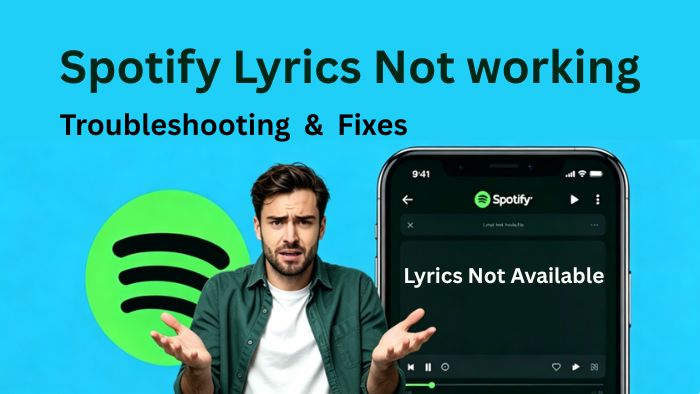
Before delving into the troubleshooting methods for Spotify lyrics not working, it is worth noting that the specific situations users encounter are not entirely identical. Based on common feedback, issues regarding Spotify lyrics not working typically fall into the following categories:
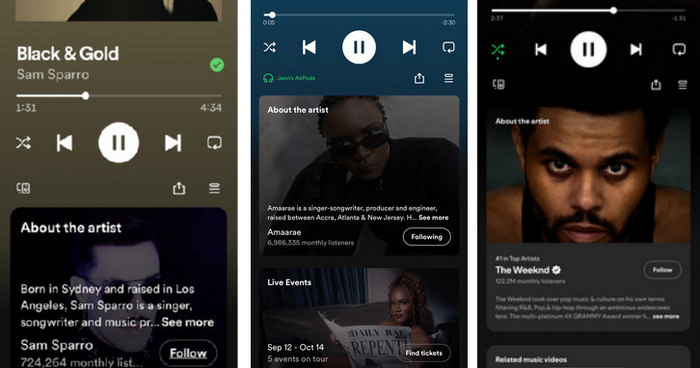
In this case, the Spotify lyrics disappeared completely from the "Now Playing" interface. As some users reported, when accessing the "Now Playing" screen in the Spotify mobile app, they cannot swipe up to view lyrics because the "Lyrics preview" panel is not showing, leaving only the "About the artist" section. It appears as though the lyrics feature has been removed.
Possible reasons:
In certain instances of the "Spotify lyrics not working" issue, only some tracks in an album display lyrics, whereas a few do not. Or perhaps only popular songs have lyrics, while less popular ones do not.
Possible reasons:
⭕Note: Lyrics on Spotify are all licensed and synced from Musixmatch. If you're not sure whether your favorite song has lyrics on Spotify, you can check the Musixmatch website.
Some users have reported that lyrics used to show up for certain songs, but now they're gone all of a sudden.
Possible reasons:

Worried that the lyrics to your favorite Spotify songs will disappear from Spotify one day? Don't want to spend too much time searching for ways to fix Spotify lyrics not working? Try using TuneCable Spotify Downloader to get Spotify lyrics for offline viewing. Don't let the disappearing lyrics ruin your singing mood!
Users' feedback shows that sometimes, when trying to view song lyrics in the desktop Spotify app, the lyrics do not scroll automatically. The lyrics are not synchronized with the music, or they may get stuck on a particular line.
Possible reasons:
Another common problem is that the lyrics interface is blank or displays messages such as "Lyrics not available" or "Couldn't load lyrics".
Possible reasons:
As you can see, "Spotify lyrics not working" is a common problem encountered by many users. Regardless of your specific situation, most issues can be resolved with the following simple steps.
Check if the song you're listening to has lyrics on Spotify. First, you can switch between different devices, check the Spotify app, and see if the lyrics are displayed. If no lyrics are displayed on all devices, you can visit the Musixmatch (the Spotify lyrics provider) website to confirm if the lyrics are verified. If they are still not found on the website, it indicates that Spotify doesn't provide lyrics for that song, and the app itself is functioning properly. At this point, you'll need to search for the lyrics through other channels.
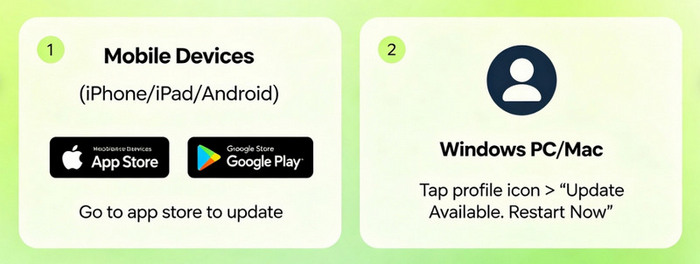
Sometimes, Spotify lyrics not working may be caused by a bug within the Spotify app. Updating the app to the latest version may resolve the issue. For users who use mobile devices such as iPhones, iPads, and Android phones, just go to the app store (such as the App Store and Google Play Store) to complete the update. For Windows PC or Mac users, simply tap on the profile icon in the upper right, choose "Update Available. Restart Now".
Simply close the Spotify app on your device. Remember to also clear the cached data in the background on your phone or computer, then restart the Spotify app and check if the lyrics reappear.
Another practical troubleshooting trick is to log out and log back in twice. It is said that this could force a deeper refresh of your account, cache, and connection. Therefore, the lyrics will reload and function properly.
A poor network connection can cause lyrics to fail to load. Switching to a different network or reconnecting to a more stable, faster one may resolve the issue.
Your IP address appears to be in other countries or regions when using a VPN. And some lyrics may be unavailable there. Hence, once you disable the VPN, the lyrics will be shown normally.
Reinstalling the Spotify app will resolve app configuration issues, fix hidden bugs, and completely clear the corrupted cache. And the lyrics could reload and display normally.
If the Spotify server is malfunctioning, the lyrics feature may become unavailable. You can check the Spotify server status by checking the official announcements from Spotify's official community, Facebook or X account. If the Spotify lyrics not working issue is caused by a server failure, it should be resolved once they fix it. Just wait patiently.
If you have tried the 8 fixes above and Spotify lyrics are still not working, it is better to download Spotify lyrics for offline viewing. If you want to get Spotify lyrics without wasting time and effort, you'll need an efficient tool.
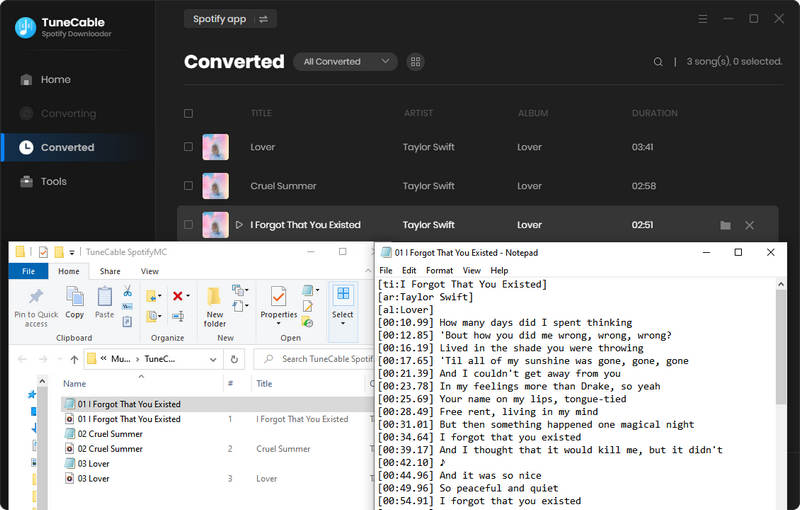
TuneCable Spotify Downloader is a professional Spotify music downloader that can download Spotify songs, albums, and playlists in MP3, AAC, ALAC, FLAC, WAV, and AIFF formats. Most importantly, you can even save the lyrics as local .lrc files while getting the local music files. Simply check "Save lyrics", and you can download the original Spotify lyrics for offline viewing. These .lrc files can help you add lyrics to karaoke versions of songs or be imported into video editing software such as CapCut and Final Cut for making lyric videos. More powerful features of TuneCable Spotify Downloader are as follows:

TuneCable Spotify Downloader
Step 1 Launch TuneCable Spotify Downloader and choose a download source, either the Spotify web player or the Spotify app. Then log in to your Spotify account to load your Spotify library.
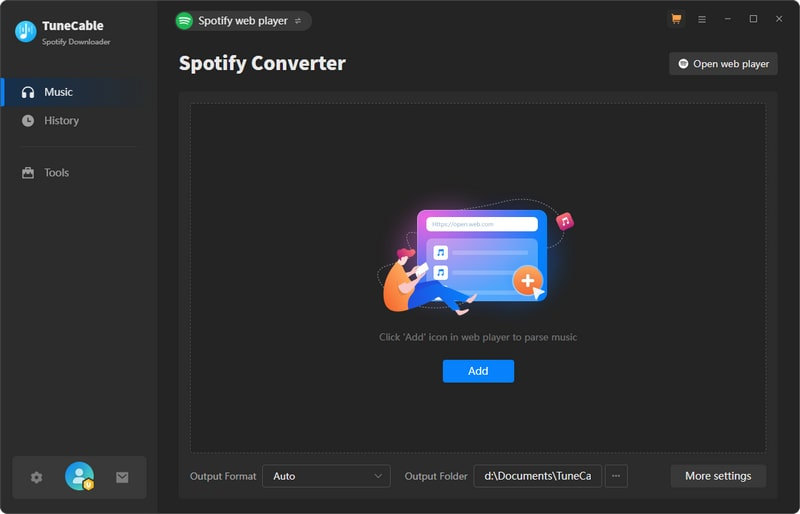
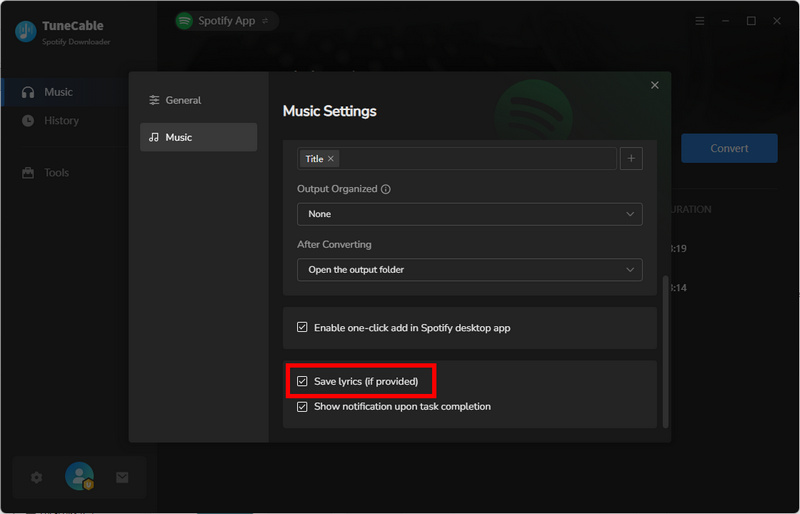
Step 2 Tap on the gear icon in the lower left corner to enable the "Save lyrics" option. Moreover, you can customize the output format, bit rate, sample rate, etc., according to your requirements.
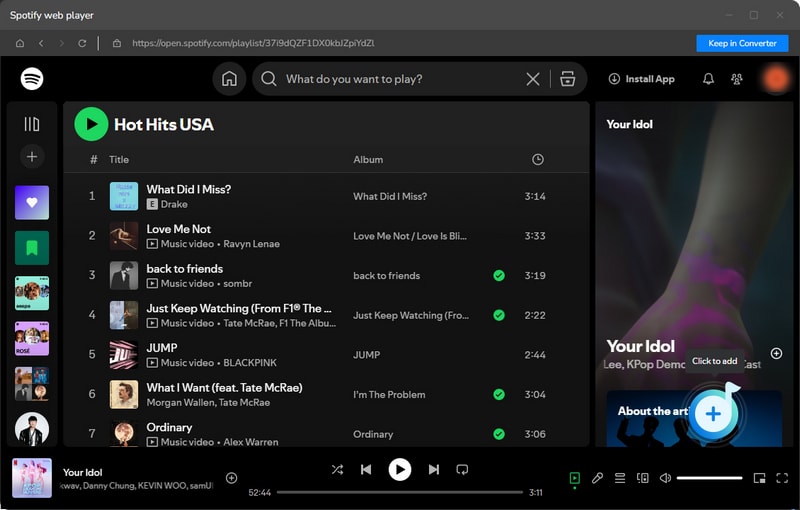
Step 3 Back to the Spotify app or web player interface to locate your favorite tracks. Next, hit the "+" button to parse music and the lyrics. Choose the desired items and click "Add".
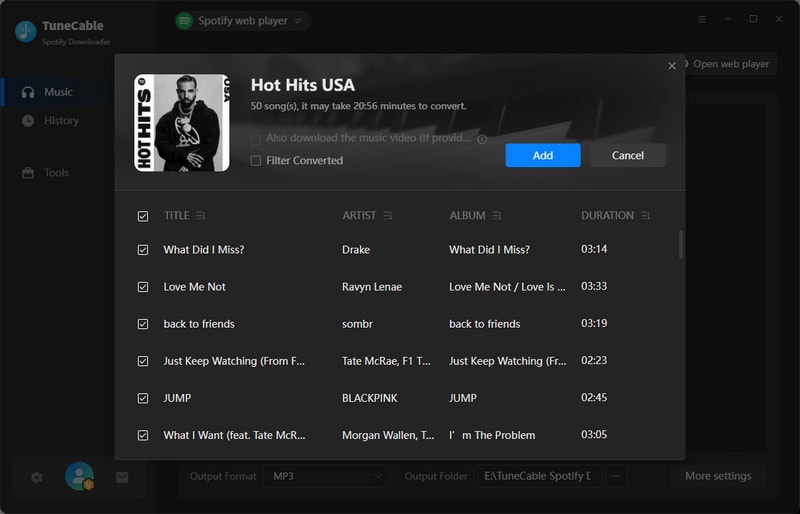
Step 4 Please note that if Spotify does not provide the lyrics in the first place, then you may fail to get Spotify lyrics in the end. Hence, you may preview the lyrics on the "Now playing" panel before downloading to ensure a successful lyrics download. Once confirmed that the lyrics are available, just hit "Convert" to download Spotify songs and lyrics files.
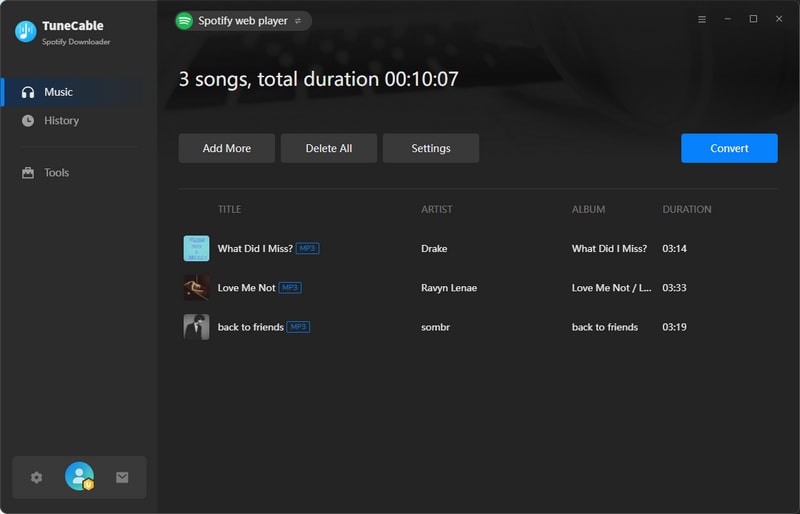
Step 5 Go to the "History" section, and you can jump to the downloaded music files by clicking the folder icon. The downloaded lyrics files are saved in the same output folder. Now, you can view Spotify lyrics offline without worrying about how to fix Spotify lyrics not working within the app.
Yes. But only if you have a Spotify Premium account. Spotify Premium users can download music for offline listening. While downloading the music, its lyrics are automatically saved, so that you can view them when enabling the offline listening feature. Free users who wish to get Spotify lyrics offline will need to utilize a third-party tool, such as TuneCable Spotify Downloader.
You can use a Spotify lyrics downloader, such as TuneCable Spotify Downloader, to download lyrics as .lyr files to your local storage for permanent collection. The downloaded lyrics files can be imported into music players such as Foobar2000 or VLC Media Player, allowing you to view the lyrics while listening to music offline.
Yes. Both Premium and Free accounts are available to view lyrics. But Spotify lyrics not showing may happen in some regions or countries due to licensing or local policies.
This article analyzes common situations and causes of Spotify lyrics not working and provides 8 quick fixes to resolve the problems. The above solutions could resolve most common Spotify lyrics not showing issues. If not, we recommend downloading the Spotify lyrics to your local device for offline viewing.
TuneCable Spotify Downloader can not only download your favorite Spotify content as local music files, but also download the original Spotify lyrics as .lyr files, allowing you to import Spotify lyrics to multiple media players. Playing Spotify music offline while viewing the lyrics is as easy as pie! Just click the button below and try it. Now, sing along with the lyrics!
 What's next? Download TuneCable Spotify Downloader now!

Ava Morrison | Senior Writer
TuneCable Spotify Downloader


