>
How To >
Music Tips >
Is NoteBurner Music One any good? Is it really worth paying for? We tested NoteBurner Music One, an all-in-one music converter, on a computer to evaluate its real-world performance, including success rate, download speed, quality, security, and so on. Here's what we found.
| Items | What NoteBurner says |
|---|---|
| OS Support | Windows 7-11; macOS 11 and later |
| Supported Platforms | Claimed 17+ platforms |
| Download modes | App Mode, Web Mode, Record Mode (real-time, for unlisted sites) |
| Output formats | MP3, AIFF, ALAC, AAC, FLAC, WAV,MP4 (for videos) |
| Max quality | Spotify Lossless 24-bit/44.1 kHz, Apple Music Lossless, Amazon Music Ultra HD, etc,. (App Mode, Premium needed) |
| Claimed speed | 1x, 4x, 10x, 40x (Spotify only) |
| Tags and files | ID3 tags kept; custom file names |
| Free extras | Podcast downloads, radio recording, and audio tools |
| Cost | Free trial, $79.90 per year, $149.90 Lifetime (prices may vary depending on promotions). |
| Trial limit | First 1 minute of each song |
🔍 Disclosure: Product information is collected from the official NoteBurner website, last updated in November 2026. Some features may be changed as the software updates.
Music One covers Spotify, Apple Music, Amazon Music, YouTube Music, Tidal, Pandora, SoundCloud, Qobuz, Bandcamp, and more in a single app. It is more versatile than a separate music converter.
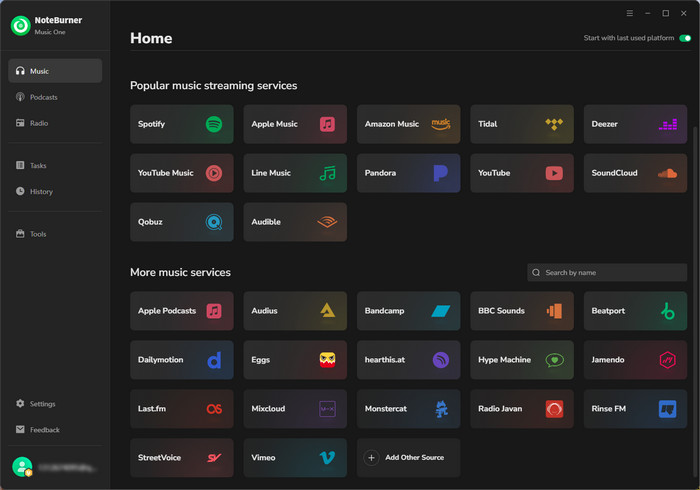
You can import a whole playlist in one click and convert it locally. NoteBurner advertises speeds of up to 40X for the Spotify platform.
It exports to MP3, AAC, WAV, FLAC, AIFF, and ALAC, with bitrate settings available (128-320 kbps). These are the formats the software supports, not a guarantee of the quality you'll get. It also offer Lossless output when available.
NoteBurner preserves full ID tags for different platforms—title, artist, album, artwork, track and disc number, year, and more. Lyrics can be saved as TXT files for some tracks.
You can browse over 126,000 podcasts and 67,000 radio stations, download podcast episodes, and record radio to MP3 without a license. The free toolbox also includes a CD burner, tag editor, local audio converter, and AI vocal splitter. The AA/AAX converter is a paid add-on.
Step 1 Install it and open the main screen. Pick a service, such as Spotify or others.
Step 2 Choose the download port (App or Web Player) and sign in with your own music account.
Step 3 Open a playlist, album or song and add it to the list.
Step 4 In Settings, choose the output format, quality and folder.
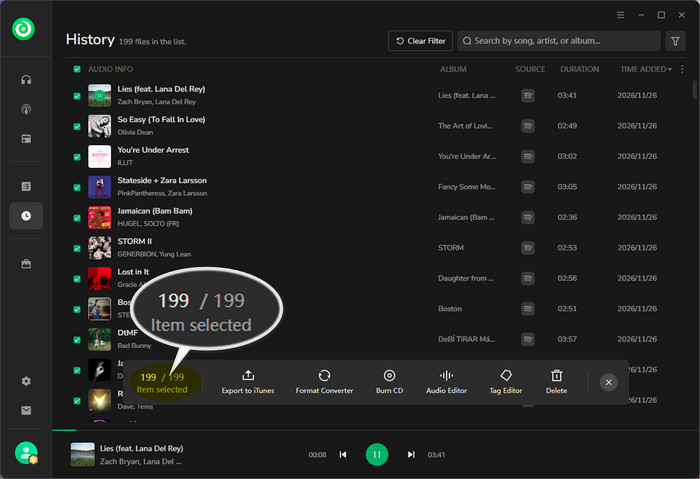
Step 5 Click Start All to convert the playlist, then open the History tab to find your files.
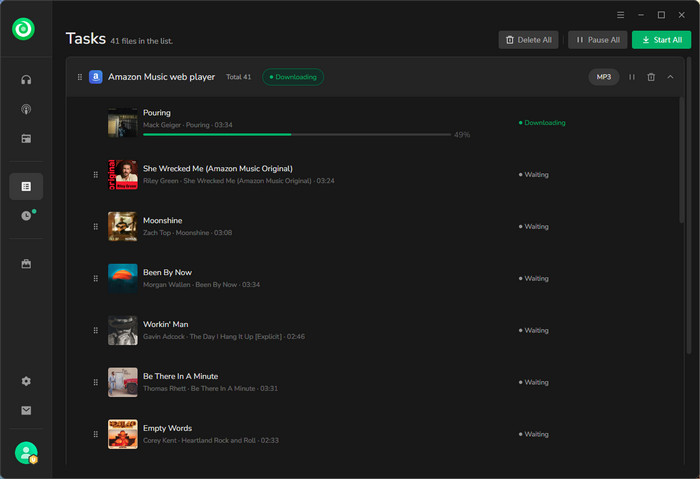
To see how NoteBurner Music One performs in everyday use, we tested it across four music streaming services, focusing on conversion speed, download success rate, audio quality, and metadata retention.
| Setup | Details |
|---|---|
| Computer and OS | Windows 10 Dell Intel Core i7 |
| Tested version | V2.6.5 |
| Music Accounts | Spotify Free, YouTube Music Free, Amazon Music Free, Tidal (Individual Plan) |
| Tested content | One playlist per platform, with 50 tracks each |
| Settings | Audio Source: Web Player (Spotify, YouTube Music, Amazon Music); App (TIDAL) Conversion mode: Intelligent Mode Format: MP3 Bit rate: Very High (320kbps) |
| Measurement | Stopwatch for conversion time, Spek for audio spectrum, and Mp3tag for metadata checks, VirusTotal for installation file scan |
| Test late | November 2026 |
| Platform | Mode | Playlist | Success rate | Actual speed | Quality |
|---|---|---|---|---|---|
| Spotify | Web | Hot Country | 100% | 22.9X | 320 kbps / ~16 kHz |
| YouTube Music | Web | Mellow Pop Classics |
100% | 8.5X | 320 kbps / ~16 kHz |
| Amazon Music | Web | Country Heat | 98% | ~8.1X | 320 kbps / ~16 kHz |
| Tidal | App | Pop Hits | 100% | 2.9X | 320 kbps / ~20 kHz |
The converter successfully converted 199 out of 200 tracks, with an overall success rate of 99.5%. Spotify, YouTube Music, and TIDAL completed their playlists without any failed tracks.
| Platform | Success Rate | Skipped or failed | Tags and art correct |
|---|---|---|---|
| Spotify | 100% | None-50/50 tracks converted | Yes (Title, artist, album) |
| YouTube Music | 100% | None-50/50 tracks converted | Yes (Title, artist, album) |
| Amazon Music | 98% | One track failed in Error 1701 | Yes (Title, artist, album) |
| Tidal Music | 100% | None | Yes (Title, artist, album) |
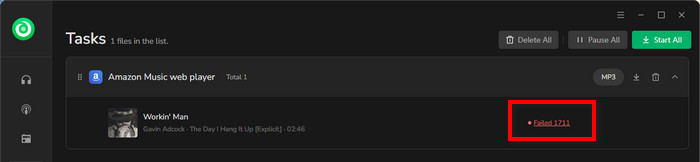
Amazon Music was the only exception, with one track failing due to Error 1701. It is only fixed by switching to another conversion mode, Record Mode.
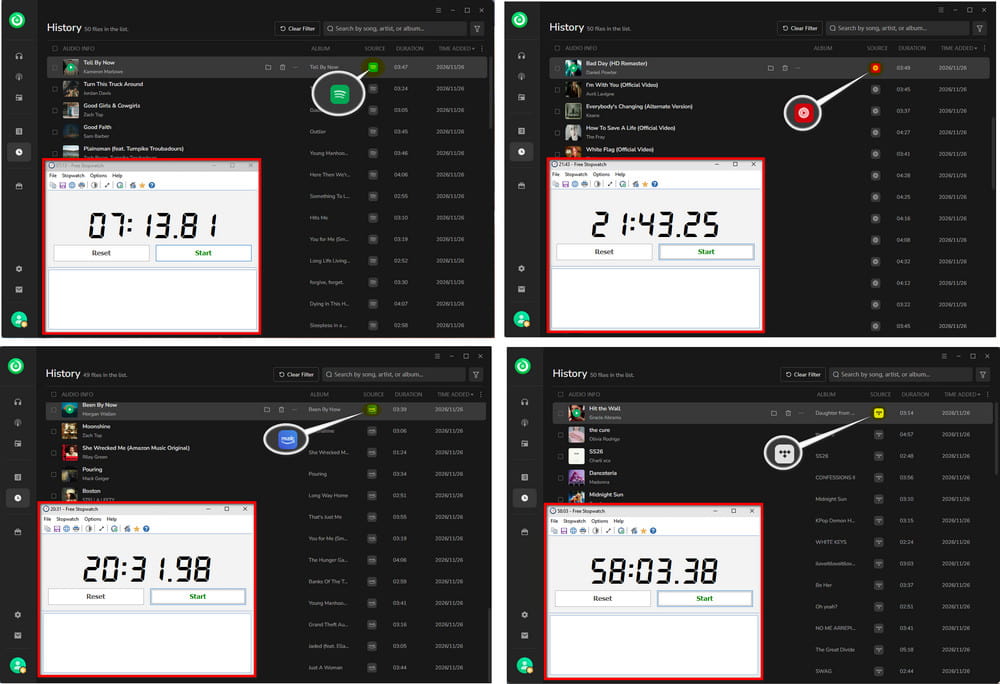
Spotify was the fastest in our tests, averaging 22.9X and converting 50 tracks in just over seven minutes. YouTube Music and Amazon Music came fairly close to their advertised 10X speeds. TIDAL was the slowest at 2.9X in app mode but offers the best audio quality. Overall, conversion speeds were reasonable. Different network conditions and devices may have different results.
| Platform | Conversion time | Playlist duration | Vendor claim | Actual speed |
|---|---|---|---|---|
| Spotify | 7m 13s | 2h 45m | 10X-40X | 22.9X |
| YouTube Music | 21 m 43s | 3 hours | Up to 10X | 8.3X |
| Amazon Music | 20m 31s | 2h 46m | Up to 10X | ~8.1X |
| Tidal Music | 58m 03s | 2h 46m | 5X (App Mode) | 2.9X |
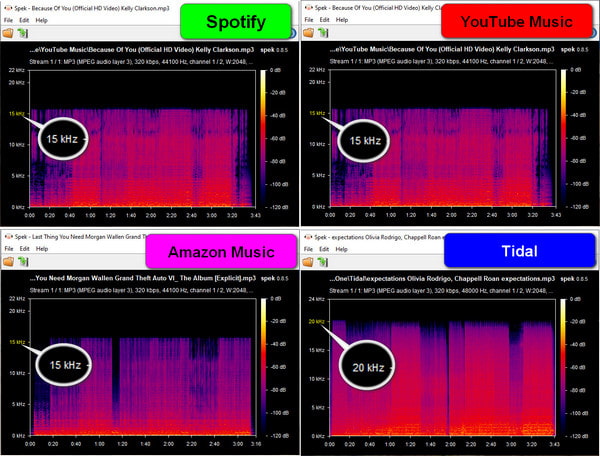
We selected MP3 at 320 kbps in NoteBurner's settings, and all converted tracks showed a bitrate of 320kbps. Notably, since we used free accounts for Spotify, YouTube Music, and Amazon Music, the actual audio quality may be subject to the original stream. Here's what we observed using Spek to analyze the audio spectrum.
| Platform | Account Type | Source Audio Quality | Output Bitrate | Sample Rate | Frequency Cutoff |
|---|---|---|---|---|---|
| Spotify | Free | 128 kbps AAC | 320 kbps MP3 | 44.1 kHz | ~16 kHz |
| YouTube Music | Free | Up to 128 kbps AAC/Opus | 320 kbps MP3 | 44.1 kHz | ~16 kHz |
| Amazon Music | Free | Up to 320 kbps (SD) | 320 kbps MP3 | 44.1 kHz | ~16 kHz |
| TIDAL | Individual | Up to 24-bit/192 kHz FLAC | 320 kbps MP3 | 48 kHz | ~20 kHz |
NoteBurner says it preserves lossless and hi-res audio where the service provides it, including Spotify Lossless, Apple Music Lossless, Amazon Music HD and Ultra HD, TIDAL Hi-Re FLAC. YouTube Music isn't on that list. If you're using the Premium account, you may be able to retain that quality with the appropriate conversion mode and output format.
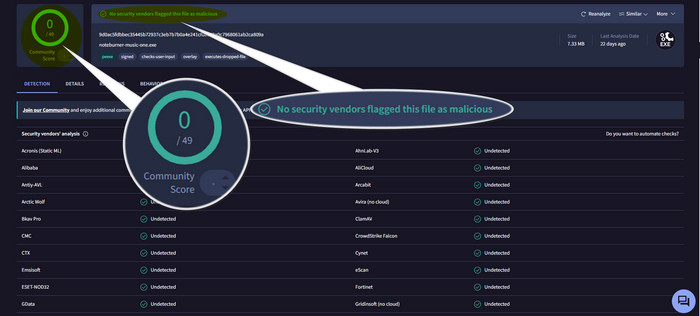
We scan the installation file via VirusTotal, and it shows that the file contains no malicious code. I
The test result: 0/49; no security vendors flagged this file as malicious
NoteBurner Music One is intended for personal use, but that doesn't automatically make every use legal. In the U.S. and many other countries, circumventing DRM can also run into the law. Rules vary, and you should use this tool responsibly. Keep your files for yourself; don't share them or use them for business. This review is for informational purposes only, not to encourage any violations.
Best for: Users who regularly save entire playlists or albums and prefer to keep their music collection organized outside of streaming apps.
Skip if: You're happy with in-app offline listening or expect lossless audio and maximum conversion speeds across every supported platform.
These are usual sale prices. They may change during site promotions (such as Black Friday), so you can check the latest pricing from https://www.noteburner.com/store.html
Most converters do one thing: one service, one button. NoteBurner Music One promises more: an all-in-one music converter for Spotify, Apple Music, YouTube Music, Amazon Music, and a dozen others. That's a big promise, so it costs more than the single converter. In the long run, it is more favorable than buying multiple music converters.
| Converter | Supported Services | Annual Cost | Lifetime Cost | Best For |
|---|---|---|---|---|
| Spotify Music Converter | Spotify only | $44.95 | $79.90 | Spotify-only users |
| 2 Standalone Converters | 2 services | $89.90 | $159.80 | Users who need two specific services |
| 3 Standalone Converters | 3 services | $134.85 | $239.70 | — |
| 4 Standalone Converters | 4 services | $179.80 | $319.60 | — |
| NoteBurner Music One | 17+ services | $79.90 | $149.90 | Multi-platform users |
There's a free trial, but it has limitations. Full conversion needs a license. The podcast and radio downloader is totally free.
Yes. NoteBurner supports music free and Premium accounts. It helps to remove ads from the songs, letting you listen offline.
NoteBurner says it preserves lossless and hi-res streams where the service offers them. For Spotify, lossless comes from App Mode. A lossy source stays lossy, whatever format you pick.
No. Music One is currently available for Windows and macOS only. NoteBurner does offer an Android app through its standalone Spotify Music Converter, though.
Yes. Its built-in recording mode lets you manually enter a website URL and capture audio playing on that site. Unlike the dedicated music converters, this feature relies on real-time recording, and results may vary depending on the website and audio source.
NoteBurner Music One is a sensible one-stop music converter if you juggle several services and want to listen to them anywhere. The multi-service, the simple workflow, the decent MP3 audio quality & speed and the tidy tagging are real strengths. While conversion speeds fell short of the advertised maximums in our tests, the overall performance was solid.
It is perfectly suitable for anyone who regularly downloads multiple songs. If you stick to just one platform, a dedicated converter makes more financial sense. Besides, we also have a practical advice: use the free trial to convert one track from each service you use, check it against the original, then decide.
 What's next? Download NoteBurner Music One now!