
TuneCable iMazon Recorder
 >
How To >
Amazon Music Tips >
>
How To >
Amazon Music Tips >
Amazon Music makes streaming your favorite songs easy, but what if you want to save them beyond the app? You may want to play music on other devices, download playlists in bulk, keep high-quality audio such as Ultra HD for offline listening, or even own music files so you can access them anytime. Fortunately, there are several ways to download Amazon Music, from purchasing music from the Amazon Store to using an Amazon Music downloader. But which method is right for you? In this guide, we'll explore the best ways to download Amazon Music and help you choose the one that fits your needs.
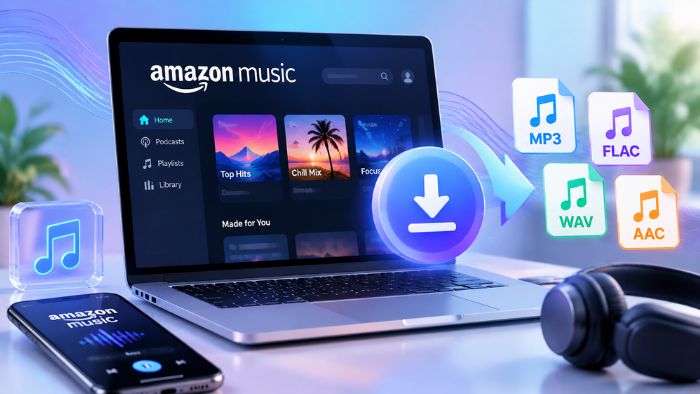
The table below compares the Amazon Music download methods and tools covered in this guide, so you can quickly see which option best fits your needs.
| Tool / Method | TuneCable iMazon Recorder | Double Double | Lucida.to | Amazon Music App | Amazon Music Store |
|---|---|---|---|---|---|
| Download Type | Amazon Music Downloader Software | Online Amazon Music Downloader | Online Amazon Music Downloader | Offline Download | Music Purchase |
| Batch Download | ✅ | ✅ Limited | ✅ Limited | ❌ | ✅ Limited |
| Supported Formats | MP3, AAC, ALAC, FLAC, WAV, AIFF, EAC3, AC4 | FLAC | FLAC, MP3 | Encrypted Format | MP3 |
| Max Quality | Ultra HD | Unknown, Varies | Unknown, Varies | Ultra HD | 256–320 kbps |
| Dolby Atmos Support | ✅ Local Files | ❌ | ❌ | ✅ In-App Offline | ❌ |
| Best For | Bulk, Ultra HD & Dolby Atmos Downloads | Free Single/Album Downloads | Free MP3 Downloads | Official Downloads | Buying & Keeping Amazon Music |
First and foremost, you may wonder: can't we just download songs directly in the Amazon Music app? Yes, as an Amazon Music Unlimited subscriber, you are allowed to download individual tracks, playlists, or albums with one click on the download button. Once enabled the offline mode, you can enjoy your favorite music without an internet connection. And this is the simplest and most convenient way to download Amazon Music songs for offline listening if you plan to keep the Unlimited subscription continuously.
However, if you want to transfer downloaded Amazon Music songs to other players, the built-in download feature won't work for that purpose. Amazon Music's offline downloads are stored in an encrypted format and are designed to be played within the Amazon Music app. To download Amazon Music to MP3 or other standard audio formats, you'll need another method.
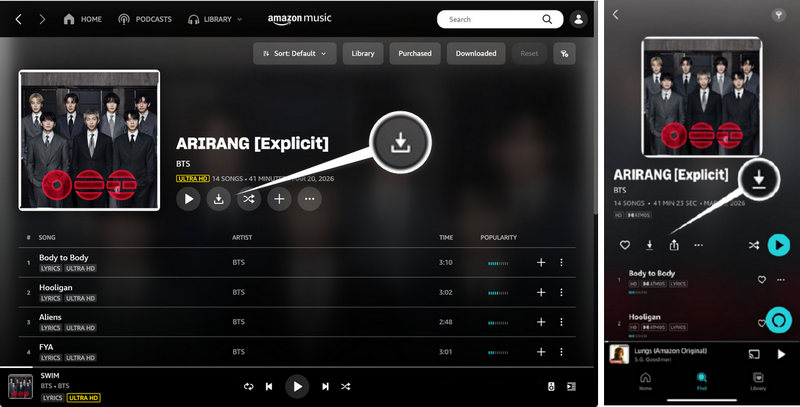
Before diving into Amazon Music downloaders, there's one official download option we shouldn't overlook: purchasing and downloading songs or albums from the Amazon Music store. Unlike the built-in download feature that "locks" the music within the app, a one-time purchase allows you to download tracks from Amazon Music as local MP3 files. In this case, you can play them on other compatible devices whenever you want.
However, buying songs individually can be costly, especially if you have a large music library. Additionally, for listeners who want higher-quality audio, such as Amazon Music HD or Ultra HD, these MP3 files may fall short in terms of audio quality. That's where an Amazon Music downloader comes in.
Typically, users turn to an Amazon Music downloader for the following reasons:
In this section, we'll recommend suitable Amazon Music downloaders based on common user needs. Whether you prioritize bulk downloads, high-quality audio, Dolby Atmos support, flexible output formats, or free handy tools, these tools offer different features to meet different listening and downloading needs.
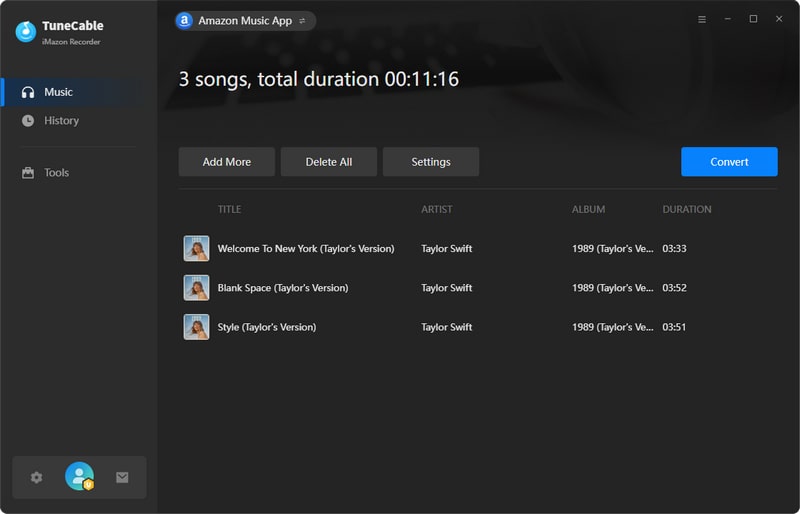
TuneCable iMazon Recorder is an Amazon Music converter software that works on Windows and Mac. For users who prioritize batch downloads and high-quality audio, TuneCable supports up to 10x conversion speed and allows multiple playlists or albums to be added to the download queue at once. While most online Amazon Music downloaders still only support downloading individual songs or only one album at a time, this tool allows you to download multiple playlists or albums at once — making it highly efficient. Also, TuneCable supports a wide range of output formats, including MP3, AAC, ALAC, FLAC, WAV, AIFF, EAC3, and AC4, making it easy to play downloaded Amazon Music tracks on a variety of devices. Last but not least, it allows users to save Amazon Music in HD, Ultra HD, or Dolby Atmos quality.
TuneCable iMazon Recorder
Step 1 Choose to download music via the Amazon Music app or web player, then log in to your Amazon Music account.
Step 2 Click "Settings" to configure the output format, bit rate/bit depth, sample rate, and other settings options.
Step 3 Locate the Amazon Music tracks, albums, or playlists you wish to download. Click the "+" button to parse the content, select the desired tracks (or select all), and click "Add". To add more playlists or albums for batch downloading, click "Add More" and repeat the process.
Step 4 Click "Convert" to start the download. Once finished, view the downloaded songs in the "History" section.
Tips: Want to quickly download HD or Ultra HD audio from Amazon Music? First, check whether the song or album is available in your desired audio quality. Then, select the Amazon Music app as the download source, log in to your Amazon Music Unlimited account, and set the conversion mode to "Record Mode" and the output format to "Recommended". TuneCable will automatically download the music at the highest quality available.
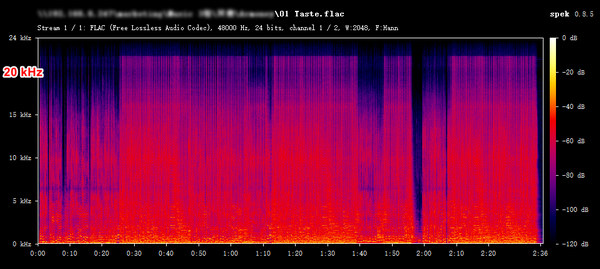
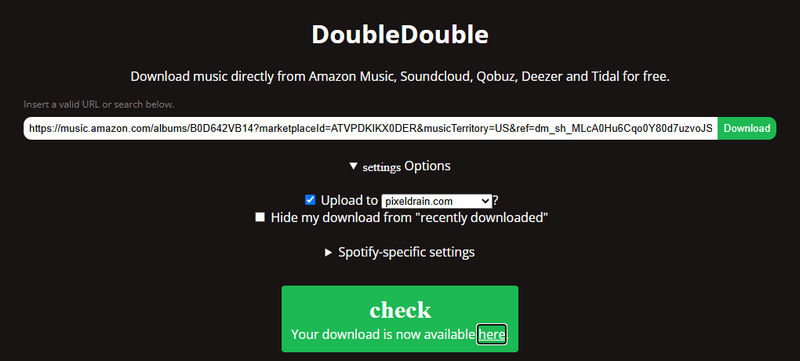
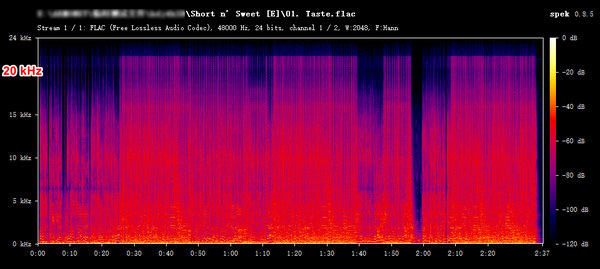
Double Double is a web-based Amazon Music album downloader. Although it only supports downloading one album or single at a time, the output audio quality is far superior to that of many lossy MP3 files. By default, it downloads tracks in their original quality and saves them in FLAC format. It is a lightweight, free online tool that allows you to download Amazon Music tracks to your local device without installing any additional software.
Step 1 Copy and paste the link to an Amazon Music playlist, album, or single into the Double Double website.
Step 2 Click "Download". Once the link has been processed, click the green button again to start the download.
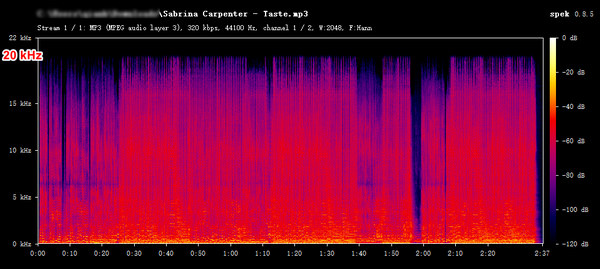
Lucida.to is a free online Amazon Music to MP3 converter that lets you download songs from Amazon Music as standalone MP3 files saved locally. It supports downloading your favorite tracks in 320kbps MP3 quality — perfect for transferring to MP3 players. With a clean, ad-free interface, downloads are quick and easy: just parse the link, and you're done. Ideal for casual, everyday use.
Step 1 Copy and paste the Amazon Music link into the website and click "Go".
Step 2 Select the audio quality and format, then click "download track".
| Your Need | Recommended Choice | Reason |
|---|---|---|
| Download Ultra HD / Dolby Atmos | TuneCable | Supports lossless formats and Atmos |
| Download playlists in bulk | TuneCable | Batch conversion |
| Free online downloads | Double Double | No installation required |
| Convert Amazon Music to MP3 | Lucida.to | Supports MP3 output for free |
| Only need offline playback | Amazon Music App | Official solution |
You can purchase individual tracks or albums directly from the official Amazon Music store and download them as local MP3 files to own your favorite music permanently. Alternatively, you can use Amazon Music downloaders mentioned in this article — such as TuneCable iMazon Recorder or DoubleDouble — to download the music locally for permanent offline playback.
Currently, the official Amazon Music store does not support the one-time purchase and download of an entire playlist (especially if the songs originate from different albums). If you wish to download a full playlist, it is recommended to use a tool like TuneCable iMazon Recorder, which allows you to add all songs from the playlist to the task list at once. You can start the download with a single click and save all the tracks into a single playlist folder.
Yes, TuneCable iMazon Recorder supports downloading Dolby Atmos music as EAC3 or AC4 files. Also, you will need a Dolby Atmos-compatible player and speaker setup to enjoy the full immersive listening experience.
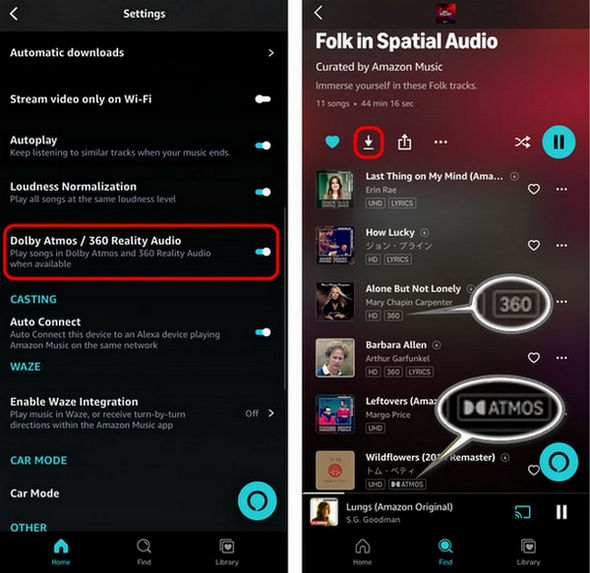
The Amazon Music app supports downloading Dolby Atmos tracks for offline listening. Simply enable Dolby Atmos in the app settings, find songs marked with the "ATMOS" tag, and tap the download icon.
Yes. Purchased music from the Amazon Music Store can be downloaded as MP3 files. Alternatively, you can use a third-party Amazon Music downloader to download Amazon Music songs to MP3 files from your streaming library.
Yes. After downloading, insert your USB drive into your computer. Open File Explorer and navigate to the USB drive's folder. Simply copy and paste, or drag and drop, the downloaded Amazon Music songs into that folder.
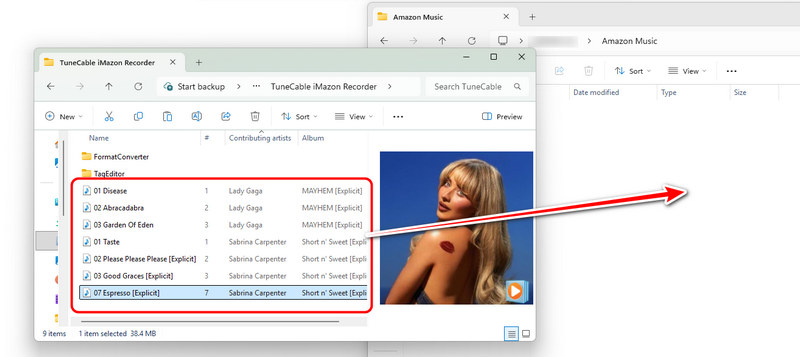
In this article, we've covered several ways to download Amazon Music, from official offline downloads and music purchases to desktop and online Amazon Music downloaders. Clearly, the official Amazon Music download function does not meet every user's needs. Therefore, using a dedicated Amazon Music downloader is a great alternative for those seeking better value or higher audio quality.
While free online Amazon Music downloaders offer convenience and cost savings, they are limited when it comes to batch downloading and Dolby Atmos tracks. In contrast, TuneCable iMazon Recorder is a more advanced option. It excels at batch downloading and backing up large music collections with playlists and albums, with Dolby Atmos support included. These downloaders unlock a wider range of listening possibilities: once the music is downloaded locally, you can transfer it to car audio systems, DJ software, or home theater setups for offline playback.
Ultimately, the best Amazon Music downloader depends on your needs. Choose the method that matches your preferred audio quality, download format, and listening habits.
 What's next? Download TuneCable iMazon Recorder now!

Ava Morrison | Senior Writer

