TuneCable Spotify Downloader - Fast, Lossless, Ad-Free, Trustworthy

Wave goodbye to slow conversions, low audio quality, disruptive ads, and download errors from free online Spotify downloaders.

  • Download Spotify songs, playlists, podcasts, and audiobooks at 10x speed.
  • Keep Spotify Lossless audio quality, full ID3 tags, cover art, and lyrics.
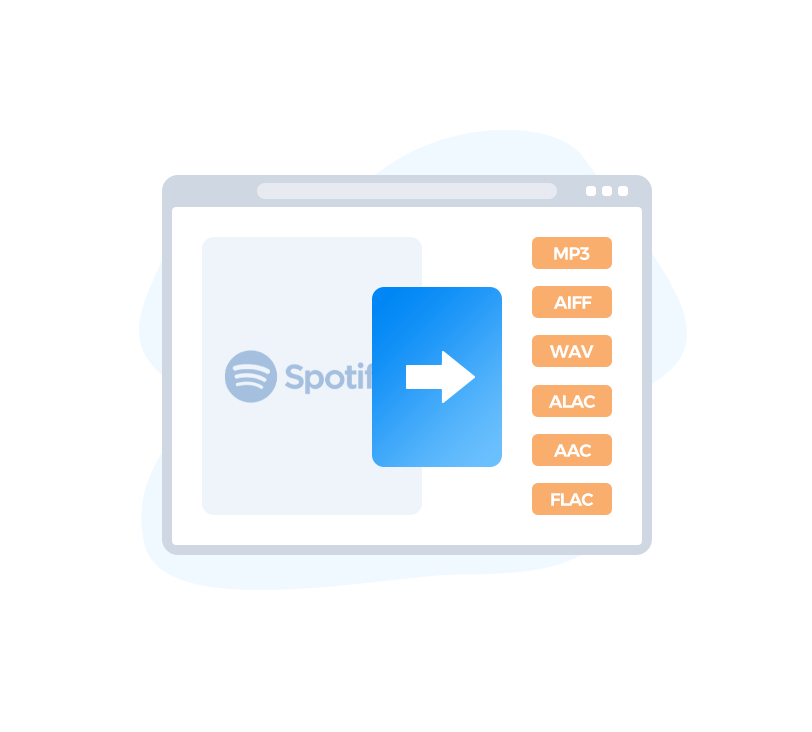
  • Convert Spotify songs to FLAC, MP3, AAC, WAV, AIFF, and ALAC.
  • Download Spotify videos as MP4 files and convert videos podcasts to MP3.
  • Support all Spotify account types, including Free and Premium tiers.
  • Tools: AA/AAX Converter, Format Converter, Burn CD, Audio Editor, Tag Editor.

-- Spotify Downloader for Android is Available Now! new

download 100,000+ Downloads

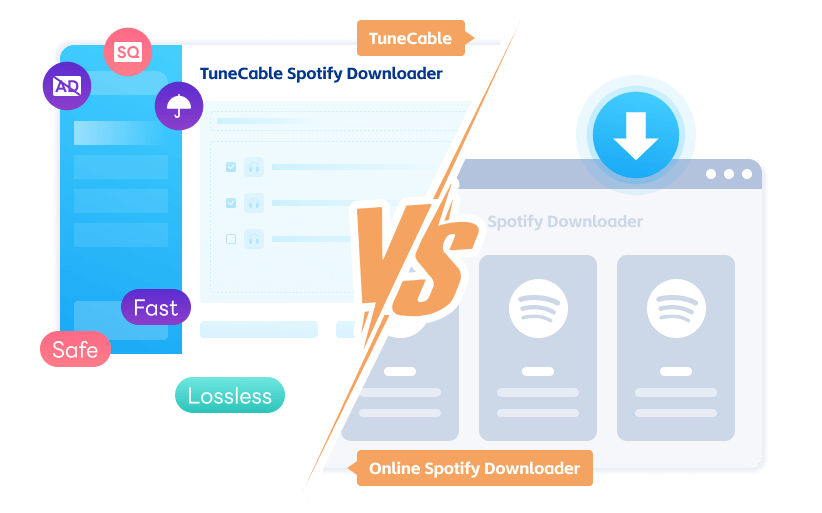
TuneCable VS Online Tool: Which Is The Best Spotify FLAC Downloader?

TuneCable Online Downloader
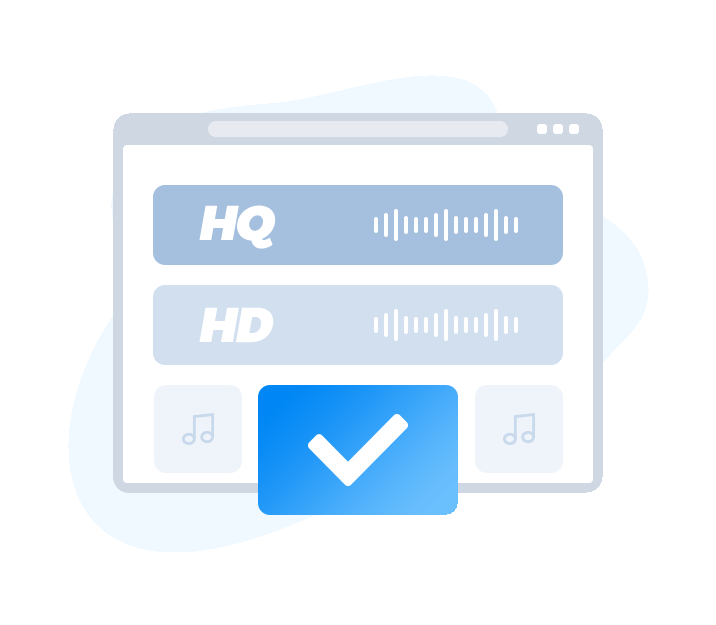
high quality  Lossless Quality
check Download Spotify songs in FLAC format with Lossless quality.
check Export with pristine quality to lossless formats (WAV, FLAC, AIFF, ALAC).
check Output Format: FLAC, MP3, AAC, WAV, AIFF, and ALAC
cross Commonly convert music to MP3 format at a bitrate of 128kbps.
cross Highest Quality: 128kbps
cross Output Format: MP3
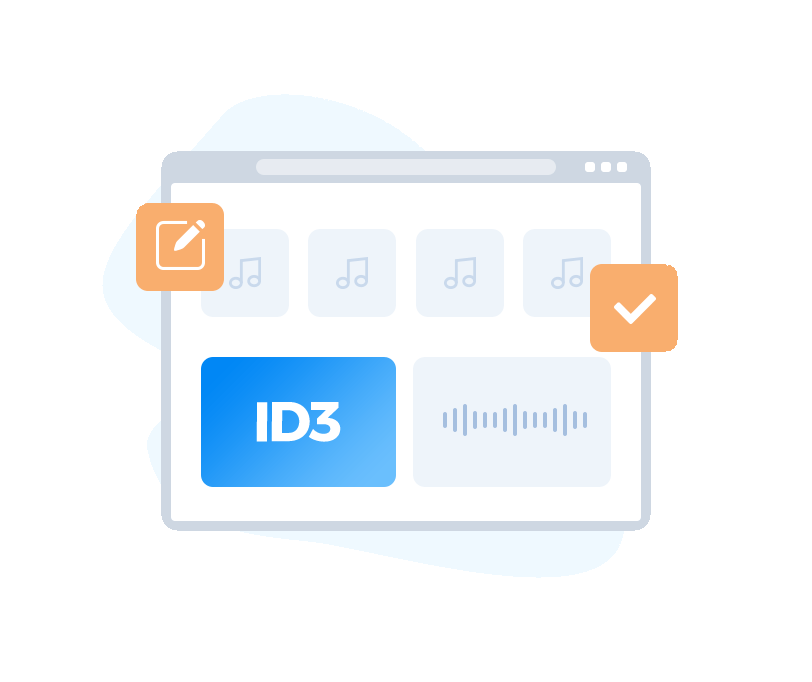
tags  Full ID3 Tags
check Keep full metadata (ID3 tags, cover art). Organize all downloads effortlessly.
check Maintain ID3 Tags like title, album, disc number, artist, year, etc.
check Modify ID3 tags with the integrated Tag Editor.
cross Generally only retain the most basic Title information for songs, or even no metadata.
cross ID3 Tags: Title
cross Not include cover art or an ID3 Tag Editor.
playlist  Batch Download
check Get 10x faster downloads of full Spotify albums and playlists in batches.
check Sort Spotify FLAC files by Playlist, Artist, Album, Artist/Album, Album/Artist, Playlist/Artist, or Playlist/Album.
cross Download Spotify songs individually with unstable conversion speed.
cross No custom organization options (fixed folder structure).
safe  Secure & Pure
check No ads, no risky redirects, with privacy and security fully respected.
check Privacy risk: 0%.
cross Pop-ups and redirects are constant. Users face intrusive ads and are steered to risky sites even on simple clicks.
cross Privacy risk: High probability (data breaches and safety compromise).
function  Versatile Toolkit
check Download Spotify songs, podcasts, audiobooks, videos, radio programs, and more.
check Extract audio from video podcasts and save as MP3.
check All-in-One Media Toolkit: AA/AAX Converter, Format Converter, CD Burner, Audio Editor & Tag Editor.
check Access prompt customer service. Enjoy free, regular updates.
cross Solely downloads MP3 files from Spotify links. No other capabilities.
cross No customer support or updates provided.
convert spotify to mp3, aac, flac, wav, aiff, alac

Enable Spotify Offline Playback

Breaking free from streaming limits, TuneCable Spotify Downloader converts Spotify tracks or playlists to FLAC, MP3, AAC, WAV, AIFF, or ALAC — creating a personal, ad-free, permanent offline music collection.

Once converted to standard audio files, the music can be transferred and played across a wide range of personal devices, including phones, tablets, USB drives, and car systems, representing a more independent, lasting, and flexible music experience.

get lossless spotify music

Deliver Flawless Lossless Audio

TuneCable Spotify Downloader enables seamless downloads from the Spotify app and web player. While downloading from the Spotify app, Spotify Lossless audio is preserved in pristine FLAC format (with bit depths up to 24 bit and sample rates up to 44.1kHz) if you choose "Recommended" as the output format and "Record Mode" as the conversion mode. Also, the bit rate/bit depth and sample rate can be customized according to user preference.

check Download music in MP3 or AAC with bitrates up to 320 kbps for perfect balance of size and sound.
check Download music in lossless formats (FLAC, ALAC, WAV, AIFF) with studio-grade resolution up to 24 bit/192 kHz.
keep spotify music id3 tags

Include ID3 Tags and Album Art

TuneCable Spotify Downloader empowers users to get a complete and customizable music library. The downloaded Spotify songs are saved with complete metadata, including ID3 tags and vibrant cover art. With the free built-in Tag Editor, you can further modify ID3 tags like Title, Album, Artist, Artwork, Track Number, Disc Number, Year, etc.

Moreover, it includes practical utilities like a Format Converter, AA/AAX Converter, CD Burner, and Audio Editor for comprehensive audio management. If needed, lyrics can be saved in LRC/TXT format following conversion.

convert spotify songs fast and in batch

Convert at Lightning 10x Speed

With TuneCable, you can experience both Spotify Lossless audio quality and blazing-fast conversion (up to 10x). It is more than easy to batch-download the entire Spotify album or playlist with just one click.

For effortless organization, TuneCable lets you sort output files by album, playlist, artist, and more. You also have full control to customize both the output file name and exact storage destination, creating a personalized, well-structured music library that matches your workflow perfectly.

Quick Guide: Download Spotify Lossless Songs

Add Spotify Songs

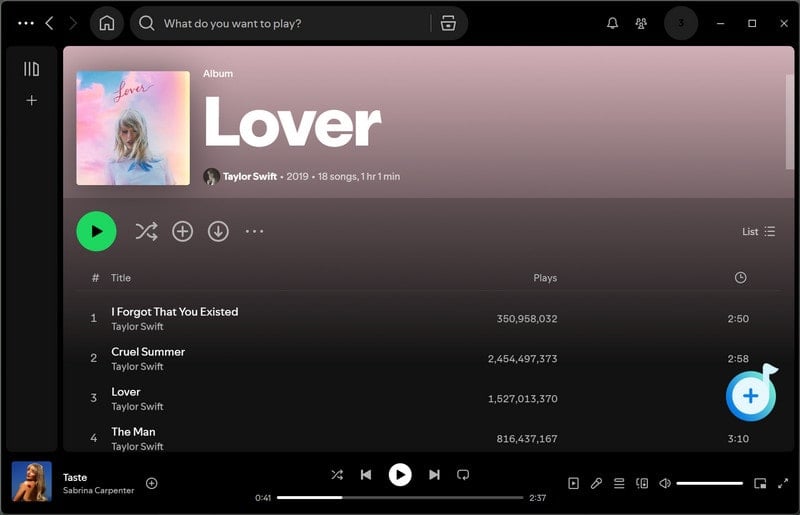
Step 1. Select Spotify Songs

Open an album or playlist on the Spotify app, tap the blue "Click to add" button.

Finish the Output Settings

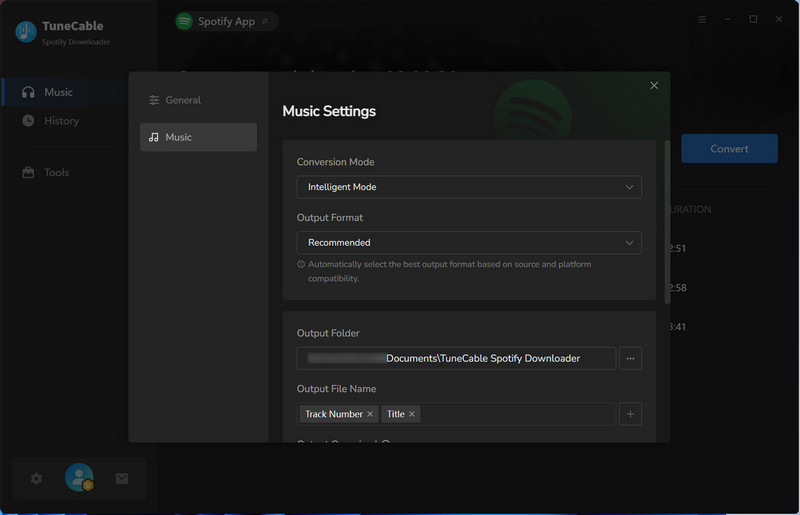
Step 2. Choose Output Format

Go to the "Settings" section, choose "Recommended" as the output format, and "Record Mode" as the conversion mode. You can also customize the output path and file name here.

Convert Spotify Songs

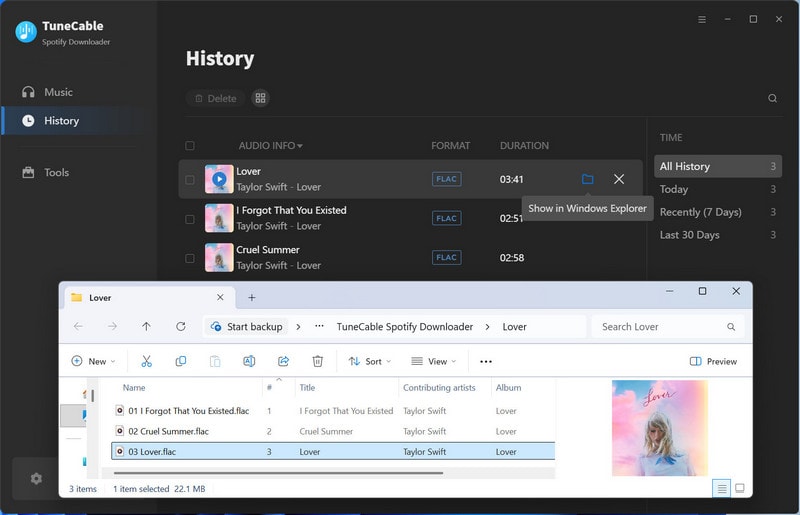
Step 3. Start Converting Spotify Songs

Simply hit that "Convert" button to start downloading Spotify songs to your computer for offline playback!

What Our Client Say?

Loved by users for how seamlessly TuneCable converts Spotify tracks to FLAC files. Read their stories and discover why it's their go-to tool!

⭐️⭐️⭐️⭐️⭐️4.8/5.0 Stars (Based on 10,264 Reviews)
client
Felix Sinclair

Club DJ ⭐️⭐️⭐️⭐️⭐️

A game-changer for DJs. I can bulk convert my Spotify playlists to FLAC formats in minutes for any gig and any setup.

client
Katherine Hayes

Office Worker ⭐️⭐️⭐️⭐️

This tool lets my music go offline. I convert my top Spotify playlists to FLAC and instantly have them ready for listening on the go.

client
Leo Grant

Retiree ⭐️⭐️⭐️⭐️⭐️

In retirement, music is my constant companion. I love this tool as it lets me save songs in high-quality FLAC. Perfect for my home listening experience!

client
James Archer

Student ⭐️⭐️⭐️⭐️

As a student, unstable Wi-Fi is a constant challenge. TuneCable is my solution for building a reliable offline music library from Spotify.

client
Iris Delaney

Freelance ⭐️⭐️⭐️⭐️⭐️

Does it all flawlessly! Fast, reliable conversions with spot-on quality. I love the custom options and how it keeps all song info organized. Highly recommend!

Product FAQ

Spotify free users are unable to download songs directly. However, TuneCable offers a solution by enabling Spotify Free users to download ad-free songs onto their local devices. Songs downloaded through Spotify Premium are confined to playback within the Spotify app or web player. In contrast, songs converted by TuneCable can be freely transferred to various software or devices without any limitations.

Windows 8 or later

macOS 11 or above

Android 8-15

TuneCable Spotify Downloader is free from popup ads or any malicious plugins. It is absolutely safe and clean. Additionally, it does not infringe upon or disclose any user's privacy.

1. Download TuneCable Spotify Downloader on Windows PC or Mac.

2. Click the "Sign In" tab in the lower left corner. Copy and paste the registration Email and Code into the registration box, and then click the "Register" button. The registration info is case-sensitive. And, please do not add a blank at the beginning or the end of the word.

TuneCable trial version only allows trial users to convert the first 1 minute of each song for sample testing. To unlock this restriction, please purchase a license.

We offer a refund within 30 Days of your purchase for TuneCable Lifetime License. We offer a refund within 5 Days of your purchase for TuneCable subscription-based plan (3-Month & 12-Month). Please refer to our refund policy for further understanding.

Here are the details of the subscription plans, automatic renewal and refund policy → Subscription-based Products FAQs.

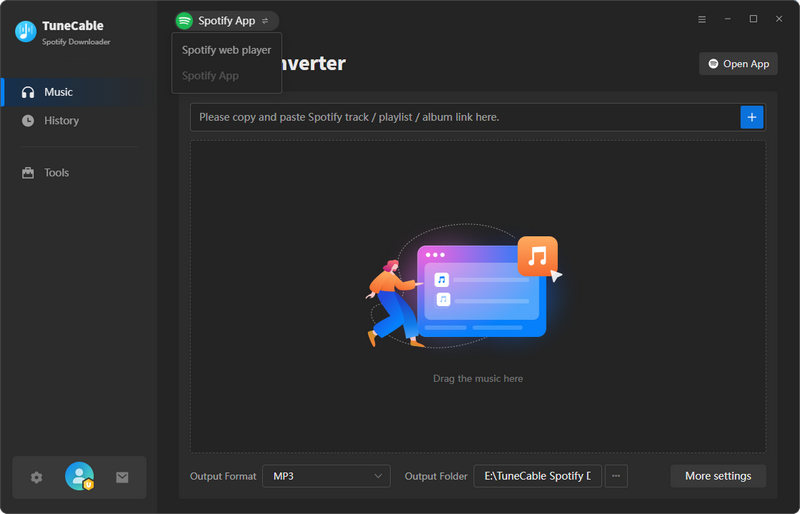
1. Switch to "Spotify App" and click "Open App" in TuneCable.

switch to spotify app

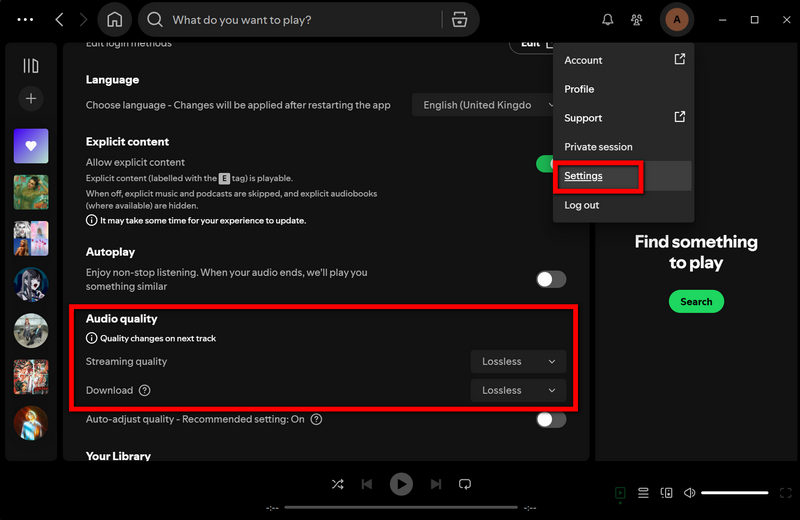
2. Make sure to log in to your Spotify Premium account within the Spotify app and enable "Lossless" quality in the "Settings" section.

enable spotify lossless

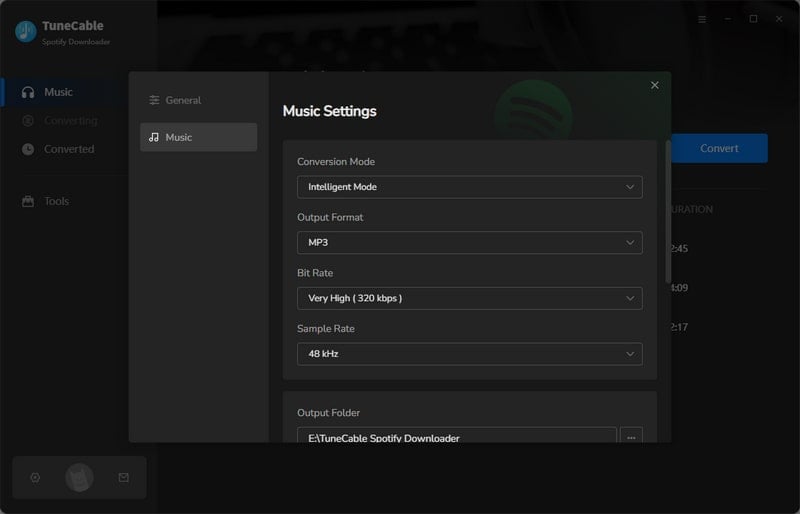
3. Choose "Record Mode" as the conversion mode and select "Recommended" as the output format in TuneCable.

TuneCable will export the songs with the Lossless audio quality and format kept.

settings

Please contact us at [email protected], tell us which problem are your encountering and provide us with detailed info like Windows or Mac OS, Spotify version, and program log files for analysis. You can submit your problem through "Menu" > "Feedback" and attach the log files.

Get TuneCable Spotify Music Converter Now!

Download Spotify Lossless music for offline playback on any device!